Kubernetes RBAC Explained: Control Access Without Breaking Deployments
Default Kubernetes clusters grant broad access to every service account, making Role-Based Access Control the only reliable method to limit damage from compromised workloads.
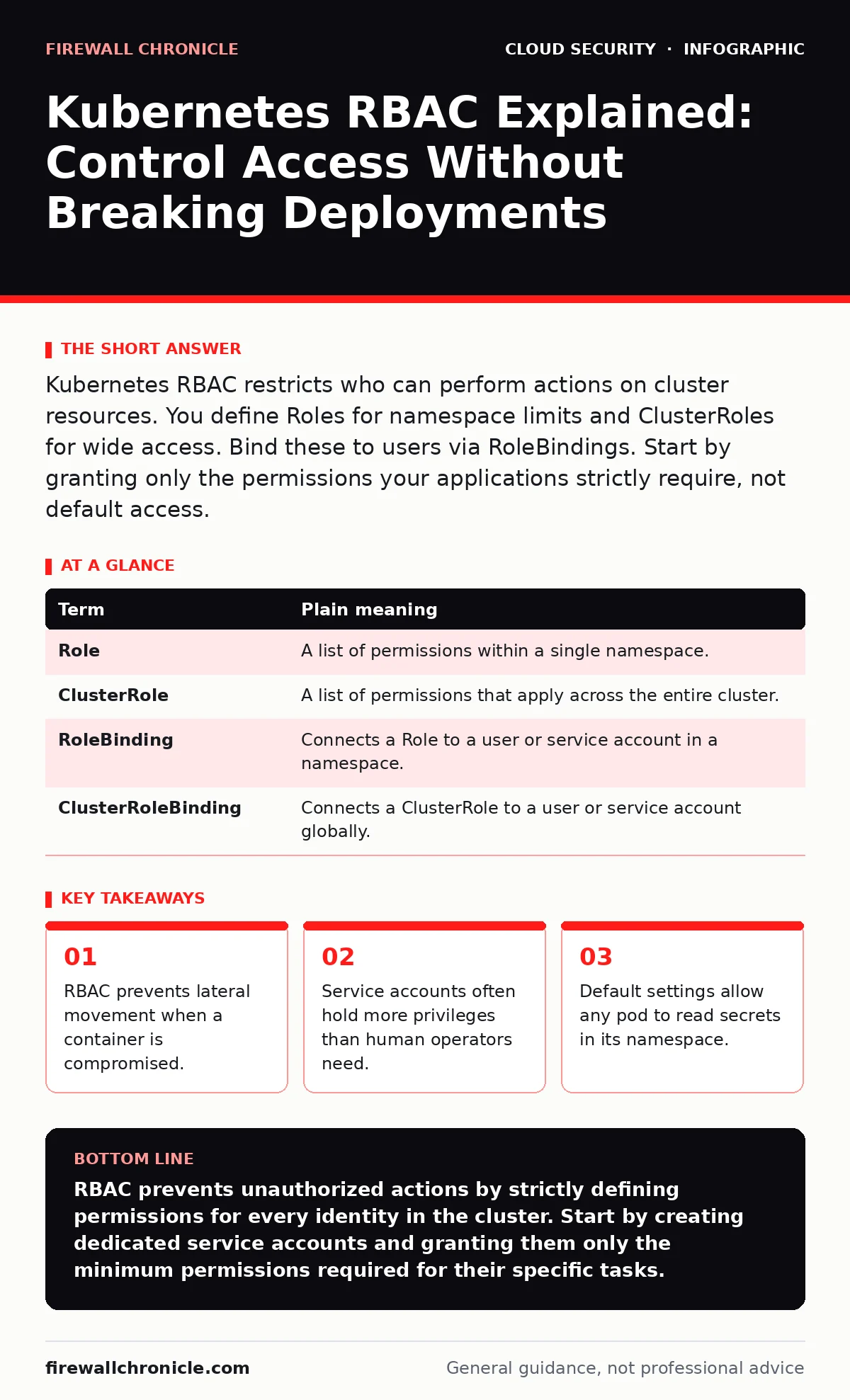
Kubernetes RBAC restricts who can perform actions on cluster resources. You define Roles for namespace limits and ClusterRoles for wide access. Bind these to users via RoleBindings. Start by granting only the permissions your applications strictly require, not default access.
The Office Building Analogy
Imagine your Kubernetes cluster is a large office building. You do not give every employee a master key that opens every door, including the vault. Instead, you issue access cards. A receptionist gets a card that opens the lobby and the mailroom. An accountant gets a card for the finance floor but not the server room. This system is Role-Based Access Control. It ensures people only enter areas necessary for their job.
In Kubernetes, the "building" is the cluster. The "doors" are resources like pods, services, and secrets. The "access cards" are Roles and ClusterRoles. The "employees" are users, groups, or service accounts. Without this system, every employee has a master key. This is the default state in many older or misconfigured clusters.
Core Terminology
You must understand the four building blocks before configuring anything. These terms define how permissions are granted and enforced.
| Term | Plain meaning |
|---|---|
| Role | A list of permissions within a single namespace. |
| ClusterRole | A list of permissions that apply across the entire cluster. |
| RoleBinding | Connects a Role to a user or service account in a namespace. |
| ClusterRoleBinding | Connects a ClusterRole to a user or service account globally. |
A namespace is a virtual cluster inside a physical cluster. It provides a scope for names. Roles are scoped to namespaces. ClusterRoles are not. You can use a ClusterRole inside a namespace, but it still defines permissions that could theoretically span the whole system if bound incorrectly.
The Hidden Cost of Default Access
Many developers assume that creating a new namespace isolates their work. It does not. By default, every service account in a namespace can list and watch secrets. This means any pod running in that namespace can read the credentials stored there. If an attacker compromises one application, they can steal secrets from all other applications in the same namespace.
This is why Kubernetes security basics often start with RBAC. You must explicitly deny access by default. The principle of least privilege is not just a recommendation; it is a necessity. Without it, a single vulnerability in a low-risk app can expose high-value credentials.
Binding Permissions Correctly
You create a Role to define what actions are allowed. For example, you might allow a developer to view logs but not delete pods. Then you create a RoleBinding to attach that Role to a specific user or group. The binding is the mechanism that enforces the rule.
Be careful with ClusterRoleBindings. These grant permissions across all namespaces. If you bind a ClusterRole that allows reading secrets to a user, they can read secrets in every namespace. This is a common mistake. Use namespace-scoped Roles for most tasks. Reserve ClusterRoles for system-level components or administrators who truly need global access.
Service Accounts Are Not Users
Service accounts are identities for processes, not humans. Every pod runs as a service account. By default, pods use the default service account. This account often has broad permissions. You should create dedicated service accounts for each application. Assign only the permissions that specific app needs.
If your app needs to read config maps, grant read access to config maps. Do not grant read access to secrets unless absolutely necessary. This limits the blast radius. If the app is compromised, the attacker cannot access secrets. This approach complements cloud network segmentation by adding an identity layer to the network layer.
See also: Mutable vs Immutable Infrastructure: Why State Changes Break Security · Multi Cloud Security Challenges: How to Stop Config Drift
Auditing and Verification
You cannot manage what you do not measure. Enable audit logging to track who accesses what. This helps you identify unnecessary permissions. Over time, you will see patterns. Some roles may be too broad. Some bindings may be unused.
Use tools to simulate access. You can test if a user can perform an action without actually doing it. This helps you refine your policies. It also helps you catch misconfigurations before they cause harm. Regular reviews are necessary. Permissions drift over time as applications change.
Practical Implementation Steps
Apply these steps to secure your cluster. Start small and expand. Do not try to lock down the entire cluster at once.
- Identify all service accounts in your namespaces. List them and note which pods use them.
- Create dedicated service accounts for each application. Remove the default service account usage from your pod specs.
- Define Roles that grant only the specific permissions each app needs. Bind these Roles to the new service accounts.
This process takes time. You may break applications that rely on default permissions. Test thoroughly in a non-production environment first. If you are moving workloads to the cloud, consider cloud migration security practices to ensure RBAC is configured from the start.
Beyond RBAC
RBAC is not a silver bullet. It controls who can do what, but it does not control how data moves. You still need Kubernetes network policies to restrict traffic between pods. You also need to protect your infrastructure from other threats.
If your cluster is exposed, attackers may try to exploit vulnerable services. RBAC will stop them from doing much if configured correctly. But they may still probe your endpoints. Combine RBAC with other controls. Ensure your cloud backup strategy includes cluster state. Protect against cloud ransomware by limiting write access to persistent volumes.
Remember that exposed storage buckets are a common entry point. If an attacker gains access to a storage bucket, they may upload malicious code. RBAC can limit what that code does, but it cannot stop the upload. Layer your defenses. Use single sign-on to manage user identities centrally. This reduces the risk of weak credentials.
Key takeaways
- RBAC prevents lateral movement when a container is compromised.
- Service accounts often hold more privileges than human operators need.
- Default settings allow any pod to read secrets in its namespace.
RBAC prevents unauthorized actions by strictly defining permissions for every identity in the cluster. Start by creating dedicated service accounts and granting them only the minimum permissions required for their specific tasks.
Frequently asked questions
Does RBAC protect against external attacks?
No, RBAC only controls access inside the cluster. You must also secure the API server and use network policies to block external traffic.
Can I use RBAC for human users?
Yes, you can bind Roles to individual users or groups. However, most human access is managed through single sign-on integrations.
What happens if I delete a RoleBinding?
The user or service account immediately loses the permissions granted by that binding. They cannot perform the actions defined in the Role.
Is RBAC enabled by default?
RBAC is enabled by default in most modern Kubernetes distributions. However, default permissions are often too broad for secure operations.
How this guide was produced: written by the Firewall Chronicle editorial team with AI assistance, checked against the public references listed below, and reviewed when the facts change. See our editorial policy or report an error.