Remote Access Trojan Prevention Checklist for Secure Systems
Remote access trojans exploit trusted administrative tools to bypass standard security controls, requiring specific configuration hardening rather than simple antivirus reliance.
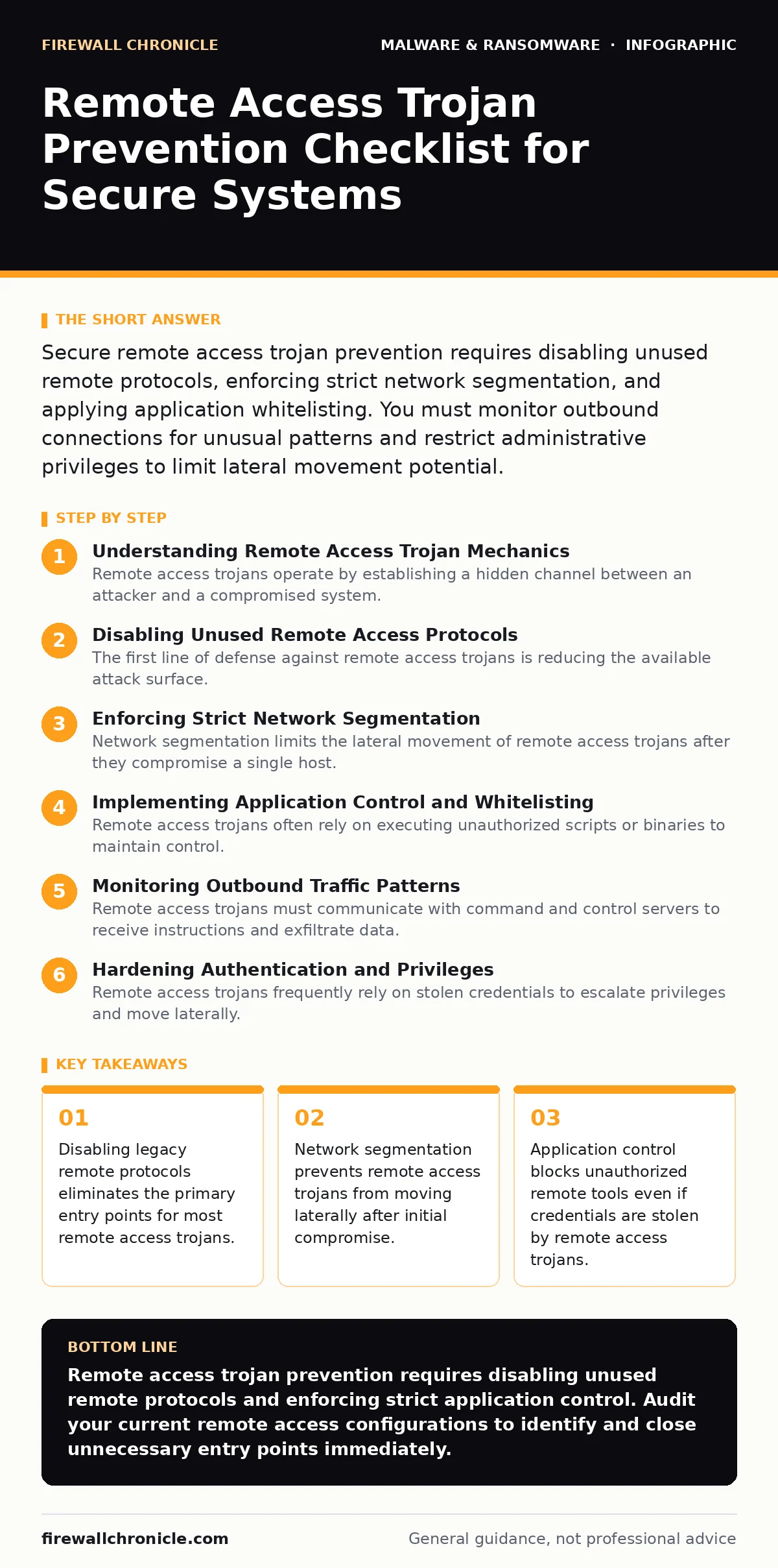
Secure remote access trojan prevention requires disabling unused remote protocols, enforcing strict network segmentation, and applying application whitelisting. You must monitor outbound connections for unusual patterns and restrict administrative privileges to limit lateral movement potential.
Understanding Remote Access Trojan Mechanics
Remote access trojans operate by establishing a hidden channel between an attacker and a compromised system. Unlike viruses that self-replicate, remote access trojans focus on persistence and control. They often masquerade as legitimate system processes to evade detection by standard security software. The threat lies in their ability to execute commands, exfiltrate data, and install additional malware without user interaction.
Developers and system administrators must recognize that remote access trojans exploit trust. They do not break into systems through brute force alone but often leverage valid credentials or unpatched remote management interfaces. Understanding this behavior shifts the focus from simple perimeter defense to internal control validation.
Disabling Unused Remote Access Protocols
The first line of defense against remote access trojans is reducing the available attack surface. Many systems ship with remote management protocols enabled by default, providing attackers with ready-made tools for control. You must disable any remote access service that is not actively required for daily operations.
- Disable Telnet on all servers: Telnet transmits data in plain text, allowing attackers to intercept credentials and session data easily.
- Disable RDP for internet-facing systems: Remote Desktop Protocol exposes a large attack surface to brute force and exploit attempts from the public internet.
- Disable VNC unless strictly necessary: Virtual Network Computing tools often lack strong encryption and authentication mechanisms, making them vulnerable to interception.
- Disable SSH root login: Allowing direct root access via SSH enables attackers to gain full system control with a single guessed password.
- Disable unused web management interfaces: Web-based administration panels often contain vulnerabilities that remote access trojans can exploit for initial access.
Refer to attack surface reduction rules for additional methods to limit the exposure of these services. Each disabled protocol removes a potential backdoor that remote access trojans could use to maintain persistent access to your infrastructure.
Enforcing Strict Network Segmentation
Network segmentation limits the lateral movement of remote access trojans after they compromise a single host. Without segmentation, an attacker who gains access to one machine can pivot to others using stolen credentials or internal vulnerabilities. You must isolate critical systems from general user networks and internet-facing services.
- Isolate administrative networks: Separate management traffic from user traffic to prevent remote access trojans from reaching critical infrastructure.
- Implement micro-segmentation for servers: Restrict communication between servers to only necessary ports and protocols, limiting the spread of remote access trojans.
- Use jump boxes for remote management: Force all administrative access through a single, hardened entry point to monitor and log remote access trojan activity.
- Segment guest and IoT devices: Keep untrusted devices on a separate network to prevent them from becoming entry points for remote access trojans.
- Apply strict firewall rules between segments: Ensure that default deny policies are in place between network segments to block unauthorized lateral movement.
See USB device control policies to further restrict physical connection vectors that could bypass network segmentation. Segmentation ensures that even if a remote access trojan establishes a foothold, its reach remains confined to a small, monitored zone.
Implementing Application Control and Whitelisting
Remote access trojans often rely on executing unauthorized scripts or binaries to maintain control. Application control prevents these malicious files from running by allowing only trusted software to execute on the system. This approach is more effective than signature-based detection for stopping novel remote access trojan variants.
- Enable Windows Defender Application Control: This feature blocks unauthorized code execution, preventing remote access trojans from launching their payloads.
- Use software restriction policies: Define rules that block execution from temporary folders and other high-risk locations used by remote access trojans.
- Restrict PowerShell execution policy: Limit PowerShell to signed scripts only, preventing remote access trojans from using it for command execution.
- Disable script engines for non-admin users: Prevent standard users from running VBScript or JScript, which remote access trojans often use for persistence.
- Monitor for unsigned binaries: Alert on any executable that lacks a valid digital signature, as remote access trojans rarely use legitimate certificates.
Check tamper protection settings to ensure that these application control policies cannot be disabled by a compromised account. Application control stops remote access trojans at the execution stage, rendering them useless even if they bypass initial defenses.
Monitoring Outbound Traffic Patterns
Remote access trojans must communicate with command and control servers to receive instructions and exfiltrate data. Monitoring outbound traffic for unusual patterns can reveal the presence of remote access trojans that have evaded other controls. You must establish a baseline of normal traffic and alert on deviations.
- Block unnecessary outbound ports: Restrict outbound connections to only required services, limiting the channels available to remote access trojans.
- Monitor DNS queries for anomalies: Look for long or random domain names that remote access trojans use for domain generation algorithms.
- Log all remote access sessions: Record who connects, when, and from where to detect unauthorized remote access trojan activity.
- Inspect SSL/TLS traffic for certificates: Check for self-signed or expired certificates that remote access trojans often use to hide their communications.
- Alert on high-volume data transfers: Sudden spikes in outbound data may indicate that a remote access trojan is exfiltrating sensitive information.
Review spyware detection methods to complement these network-level controls, as remote access trojans often include spyware functionality. Outbound monitoring provides visibility into the active communication channels that remote access trojans require to remain effective.
See also: VPN Gateway and ADC Vulnerabilities: The Hidden Risks in Network Perimeters · Difference Between ARP Spoofing and ARP Poisoning Explained
Hardening Authentication and Privileges
Remote access trojans frequently rely on stolen credentials to escalate privileges and move laterally. Strengthening authentication mechanisms and limiting administrative rights reduces the impact of credential theft. You must ensure that only necessary accounts have elevated privileges and that all access is verified.
- Enforce multi-factor authentication: Require an additional verification step for all remote access, preventing remote access trojans from using stolen passwords alone.
- Use privileged access management: Restrict administrative accounts to specific tasks and time windows, limiting the window for remote access trojan exploitation.
- Disable default administrator accounts: Rename or disable default accounts to prevent remote access trojans from targeting known usernames.
- Implement least privilege principles: Ensure users and services run with the minimum permissions necessary, reducing the damage remote access trojans can cause.
- Regularly audit user permissions: Remove unnecessary administrative rights to prevent remote access trojans from leveraging over-privileged accounts.
Consult browser hijackers prevention guides to secure the initial entry points where credentials are often phished. Strong authentication ensures that remote access trojans cannot easily impersonate legitimate users to gain deeper system access.
Key takeaways
- Disabling legacy remote protocols eliminates the primary entry points for most remote access trojans.
- Network segmentation prevents remote access trojans from moving laterally after initial compromise.
- Application control blocks unauthorized remote tools even if credentials are stolen by remote access trojans.
Remote access trojan prevention requires disabling unused remote protocols and enforcing strict application control. Audit your current remote access configurations to identify and close unnecessary entry points immediately.
Frequently asked questions
How do I detect a hidden remote access trojan?
Monitor for unusual outbound network connections and check for unknown processes running with high privileges or hidden attributes.
Can antivirus software stop remote access trojans?
Antivirus can detect known variants, but it often misses novel remote access trojans that use legitimate system tools for execution.
What is the first step in remote access trojan prevention?
Disable all remote access protocols that are not actively required for your daily operations to reduce the attack surface.
How does network segmentation help against remote access trojans?
Segmentation limits lateral movement, ensuring that a remote access trojan cannot easily spread from one compromised host to others.
How this guide was produced: written by the Firewall Chronicle editorial team with AI assistance, checked against the public references listed below, and reviewed when the facts change. See our editorial policy or report an error.