
Software Restriction Policies: Answers to Your Technical Questions
Software restriction policies enforce execution control by validating file paths and hashes, creating a barrier that stops code from running even if it bypasses antivirus detection.
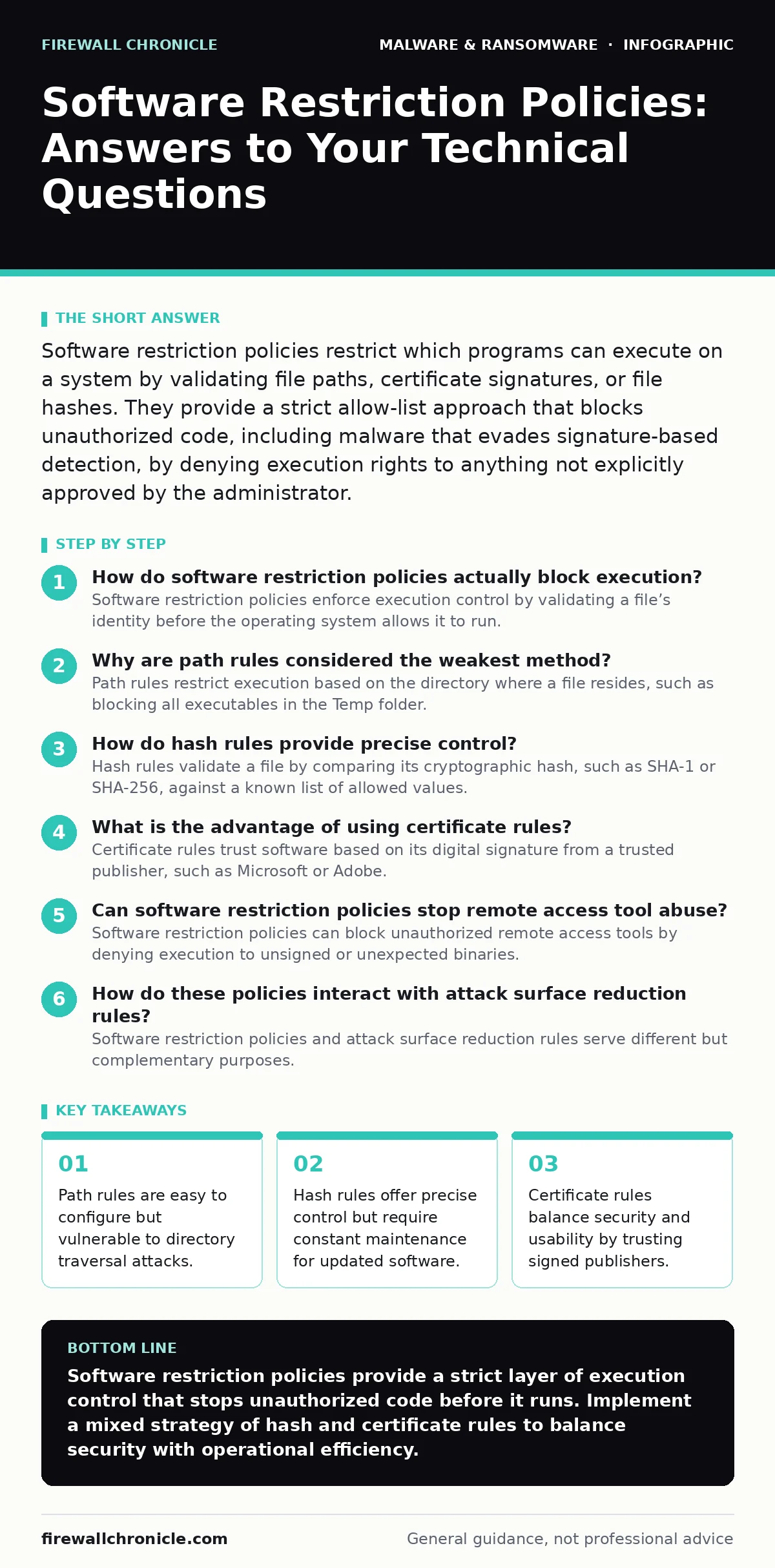
Software restriction policies restrict which programs can execute on a system by validating file paths, certificate signatures, or file hashes. They provide a strict allow-list approach that blocks unauthorized code, including malware that evades signature-based detection, by denying execution rights to anything not explicitly approved by the administrator.
How do software restriction policies actually block execution?
Software restriction policies enforce execution control by validating a file’s identity before the operating system allows it to run. The system checks the file against defined rules, such as its location, digital signature, or unique hash value. If the file does not match an allowed rule, the operating system denies the execution request immediately. This happens at the kernel level, preventing the code from loading into memory.
This mechanism differs from traditional antivirus scanning, which often analyzes behavior after execution begins. You are stopping the process before it starts. This is particularly effective against fileless malware that attempts to inject code into legitimate processes, as the initial executable must still pass validation.
Why are path rules considered the weakest method?
Path rules restrict execution based on the directory where a file resides, such as blocking all executables in the Temp folder. This method is weak because attackers can easily move malicious files to allowed directories or use symbolic links to bypass the restriction. An attacker can place a malicious script in a user’s home directory, which is often allowed for convenience.
Imagine a scenario where an attacker drops a payload in a legitimate application folder. The policy sees the file in an allowed path and permits execution. This lack of context makes path rules insufficient for high-security environments. You should combine path rules with other verification methods to reduce this risk.
How do hash rules provide precise control?
Hash rules validate a file by comparing its cryptographic hash, such as SHA-1 or SHA-256, against a known list of allowed values. This method ensures that only the exact binary you approved can run, regardless of where it is located. Even a single byte change in the file results in a completely different hash, blocking the modified version.
This precision comes at the cost of administrative overhead. You must update the hash list every time you patch or upgrade software. If you forget to add the new hash, legitimate updates will fail to install. This rigidity can disrupt development workflows if not managed carefully.
What is the advantage of using certificate rules?
Certificate rules trust software based on its digital signature from a trusted publisher, such as Microsoft or Adobe. This method allows any version of signed software from that publisher to run without manual updates. It balances security with usability by relying on the publisher’s identity rather than specific file versions.
However, this trust model has a critical flaw. If an attacker compromises a legitimate publisher’s signing certificate, they can sign malicious code that your policy will allow. You are trusting the publisher’s security practices, not just the code itself. This is why certificate rules should be used alongside other controls.
Can software restriction policies stop remote access tool abuse?
Software restriction policies can block unauthorized remote access tools by denying execution to unsigned or unexpected binaries. Many remote access tool abuse scenarios rely on executing downloaded scripts or binaries that are not part of the standard system image. By enforcing a strict allow-list, you prevent these tools from launching.
However, if the attacker uses a legitimate, signed remote administration tool that is already allowed, the policy will not stop them. The policy validates the file, not the user’s intent. You must combine these policies with strict access controls and monitoring to mitigate this risk.
| Rule Type | Security Level | Maintenance Cost | Bypass Risk |
|---|---|---|---|
| Path | Low | Low | High |
| Hash | High | High | Low |
| Certificate | Medium | Low | Medium |
See also: Next-Generation Antivirus Checklist for Modern Endpoints · Tamper Protection for Small Business: Stop Malware from Disabling Defenses
How do these policies interact with attack surface reduction rules?
Software restriction policies and attack surface reduction rules serve different but complementary purposes. Restriction policies focus on execution control, while attack surface reduction rules limit the capabilities of applications, such as blocking Office macros from creating child processes. They operate at different layers of the system.
Using both creates a defense-in-depth strategy. If a malicious script bypasses the execution block, the reduction rules may prevent it from performing harmful actions like downloading additional payloads. You should configure both to cover different attack vectors.
Why might legitimate software fail to run?
Legitimate software may fail to run if it is unsigned, uses a self-signed certificate, or has been modified after installation. Some open-source tools do not include digital signatures, causing them to be blocked by certificate rules. Similarly, automated patching systems might alter file hashes, breaking hash-based rules.
This friction often leads administrators to disable the policies or add broad exceptions, weakening security. You should establish a process for testing new software in a controlled environment before adding it to the allow-list. This prevents unexpected outages while maintaining strict controls.
How do these policies help against bootkits?
Software restriction policies primarily protect the running operating system, not the boot process. Bootkits infect the master boot record or EFI system partition, loading before the operating system and its security policies are active. Therefore, these policies cannot directly stop a bootkit from initial execution.
However, they can prevent the bootkit’s payload from executing once the OS loads. If the malicious driver is not signed or hashed correctly, the policy will block it. You should pair these policies with secure boot features to protect the pre-OS environment.
What is the impact on system performance?
Software restriction policies add a small overhead to every file execution request. The system must check the file’s hash, signature, or path against the policy database. This check is usually fast but can slow down systems with large allow-lists or slow storage.
In most cases, the performance impact is negligible. However, in environments with thousands of small scripts, the cumulative delay may become noticeable. You should monitor system logs for execution delays and optimize your rule sets to reduce unnecessary checks.
How do you manage policies across a large organization?
Managing policies across many devices requires a centralized group policy management system. You can push updates to hash lists and certificate rules from a central server, ensuring consistency. Manual configuration on each device is error-prone and difficult to scale.
This centralization also allows for rapid response to threats. If a new malware variant emerges, you can update the block list across all devices in minutes. You should test policy changes in a pilot group before deploying them organization-wide.
Key takeaways
- Path rules are easy to configure but vulnerable to directory traversal attacks.
- Hash rules offer precise control but require constant maintenance for updated software.
- Certificate rules balance security and usability by trusting signed publishers.
Software restriction policies provide a strict layer of execution control that stops unauthorized code before it runs. Implement a mixed strategy of hash and certificate rules to balance security with operational efficiency.
Frequently asked questions
Do software restriction policies replace antivirus software?
No, they complement it. Antivirus detects known threats and suspicious behavior, while restriction policies prevent unauthorized execution regardless of detection status.
Can users bypass these policies easily?
Standard users cannot bypass them if configured correctly. Administrators must ensure that users do not have write access to policy files or allowed directories.
How do I handle software updates?
Use certificate rules for widely trusted software to avoid manual hash updates. For custom or unsigned software, maintain a process to update hashes after each change.
Are these policies effective against cryptojacking?
Yes, they can block unauthorized mining scripts from executing. By denying execution to unknown binaries, you prevent cryptojacking payloads from launching on your system.
How this guide was produced: written by the Firewall Chronicle editorial team with AI assistance, checked against the public references listed below, and reviewed when the facts change. See our editorial policy or report an error.