7 Configuration Mistakes That Invite Spyware Into Your System
Most spyware gains persistence through misconfigured application whitelists and unpatched privilege escalation paths rather than through direct exploitation of network perimeters.
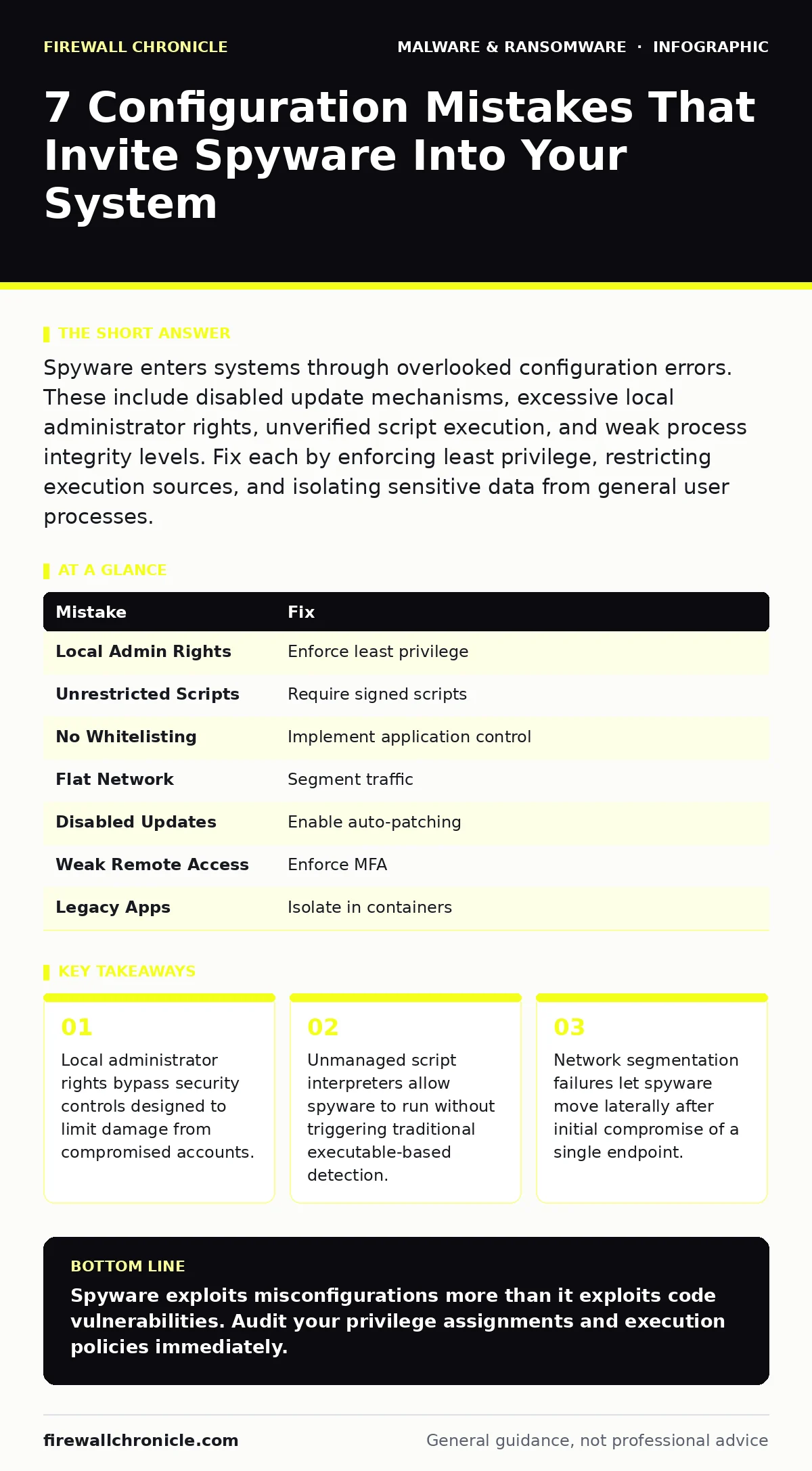
Spyware enters systems through overlooked configuration errors. These include disabled update mechanisms, excessive local administrator rights, unverified script execution, and weak process integrity levels. Fix each by enforcing least privilege, restricting execution sources, and isolating sensitive data from general user processes.
Spyware operates by silently collecting data or providing backdoor access. It relies on your system’s trust in its own processes. Developers often focus on external threats while ignoring internal misconfigurations. These internal gaps provide spyware with the privileges it needs to persist. Understanding these specific failures helps you harden your environment against silent infiltration.
Mistake 1: Granting Local Administrator Rights to Interactive Users
Why it hurts:
Local administrator rights allow a user to modify system files, install drivers, and change security settings. When spyware executes on an account with these rights, it can disable security tools, create hidden user accounts, and modify boot sequences. The spyware does not need to exploit a kernel vulnerability. It simply uses the authority you handed to the user. This turns a contained software bug into a full system compromise. The damage spreads quickly because the malware has unrestricted access to the disk and registry.
The fix:
Enforce least privilege for all interactive accounts. Use managed service accounts for administrative tasks. These accounts have limited scope and are monitored for unusual activity. Implement software restriction policies to prevent standard users from installing applications. Regularly audit group membership to remove unnecessary administrative assignments. This reduces the attack surface by ensuring that even if a user account is compromised, the malware cannot elevate its privileges.
Mistake 2: Allowing Unrestricted Script Execution
Why it hurts:
Script interpreters like PowerShell, Python, and JavaScript are essential for automation. Spyware authors exploit this utility by embedding malicious payloads in scripts. Traditional antivirus tools often struggle to inspect scripts because they are text-based and polymorphic. If your system allows any script to run, spyware can execute directly from memory. It avoids writing malicious binaries to disk. This technique, known as fileless malware, bypasses signature-based detection. The spyware runs in the context of the legitimate interpreter, making it appear harmless to monitoring tools.
The fix:
Restrict script execution to signed scripts only. Configure your execution policy to require digital signatures from trusted publishers. Use attack surface reduction rules to block scripts launched from email clients or web browsers. Monitor script activity for obfuscation techniques. Obfuscated scripts hide their intent by encoding commands. Detecting this behavior allows you to block the spyware before it establishes persistence. This adds a layer of defense that forces attackers to use more complex methods.
Mistake 3: Ignoring Application Whitelisting
Why it hurts:
Blacklisting relies on knowing every bad file. Spyware changes its signature with each build. New variants appear faster than signature databases can update. Without software restriction policies, unknown executables run freely. Spyware masquerades as legitimate utilities or uses random file names. It slips through because it is not on the block list. The consequence is a system that runs anything it touches. This allows spyware to establish persistence by copying itself to trusted directories. It modifies existing processes to maintain access even after reboot.
The fix:
Implement strict application whitelisting. Only allow executables with known hashes or from approved paths to run. Use path-based rules for local system directories. Use publisher-based rules for third-party applications. This ensures that only verified software executes. If spyware lands on your disk, it cannot run. It sits inert until removed. This approach shifts the burden from detecting bad files to verifying good ones. It is more resilient against novel threats.
Mistake 4: Failing to Segment Network Traffic
Why it hurts:
Network segmentation limits lateral movement. Without it, spyware on one machine can scan the entire network. It identifies other vulnerable hosts and spreads. Spyware often includes modules for network reconnaissance. It maps open ports and services. It exploits weak credentials on adjacent systems. The consequence is a compromised environment that grows rapidly. Security teams struggle to contain the breach because traffic flows freely. The spyware uses legitimate protocols to exfiltrate data. It blends in with normal network noise, making detection difficult.
The fix:
Implement micro-segmentation at the host level. Use firewalls to restrict communication between segments. Allow only necessary ports and protocols. Isolate sensitive data stores from general user networks. Monitor east-west traffic for anomalies. Look for unexpected connections between workstations. This limits the blast radius of a single compromise. If spyware infects one machine, it cannot reach the rest. This containment strategy buys time for detection and response.
Mistake 5: Disabling Automatic Security Updates
Why it hurts:
Vendors patch vulnerabilities as they are discovered. Spyware authors target known flaws. If you disable updates, your system remains vulnerable to public exploits. Spyware uses these exploits to gain initial access. It leverages buffer overflows or privilege escalation bugs. The consequence is a predictable attack path. Attackers know your system is missing fixes. They target it with automated tools. This turns your neglect into an open door. The spyware installs silently, using the gap you left in your defense.
The fix:
Enable automatic updates for the operating system and all applications. Configure systems to install security patches immediately. Test updates in a staging environment to ensure compatibility. Use tamper protection to prevent malware from disabling update services. Regular updates close the doors that spyware uses to enter. This reduces the window of exposure to known vulnerabilities. It forces attackers to find new, harder exploits.
See also: Next-Generation Antivirus Checklist for Modern Endpoints · Tamper Protection for Small Business: Stop Malware from Disabling Defenses
Mistake 6: Overlooking Remote Access Controls
Why it hurts:
Remote access tools provide legitimate support. Spyware authors hijack these tools to gain control. Remote access tool abuse is a common vector. If credentials are weak or shared, spyware uses them to log in. It masquerades as a legitimate support session. The consequence is persistent access that bypasses perimeter defenses. The attacker is already inside. They have the same view as a human user. This makes detection nearly impossible. The spyware sits in the background, collecting data or waiting for commands.
The fix:
Enforce multi-factor authentication for all remote access. Limit remote access to specific time windows. Use jump hosts to isolate direct connections. Monitor remote sessions for unusual activity. Log all commands executed remotely. This adds friction for attackers. They must now steal credentials and bypass MFA. This significantly raises the cost of intrusion. It also provides audit trails for forensic analysis.
Mistake 7: Running Legacy Applications Without Isolation
Why it hurts:
Legacy applications often contain unpatched vulnerabilities. They run with high privileges. Spyware targets these applications to gain a foothold. The application acts as a bridge. It allows the spyware to execute code with elevated rights. The consequence is a persistent backdoor. Removing the spyware does not remove the vulnerability. The attacker returns. Isolation prevents the legacy app from interacting with the rest of the system. This contains any compromise to that single application.
The fix:
Isolate legacy applications in virtual machines or containers. Restrict their network access. Limit their file system permissions. Use USB device control to prevent data exfiltration from these isolated environments. This containment strategy limits damage. If spyware infects the legacy app, it cannot spread. It remains trapped in the isolated environment. This allows you to use old software safely. It balances functionality with security.
| Mistake | Fix |
|---|---|
| Local Admin Rights | Enforce least privilege |
| Unrestricted Scripts | Require signed scripts |
| No Whitelisting | Implement application control |
| Flat Network | Segment traffic |
| Disabled Updates | Enable auto-patching |
| Weak Remote Access | Enforce MFA |
| Legacy Apps | Isolate in containers |
Key takeaways
- Local administrator rights bypass security controls designed to limit damage from compromised accounts.
- Unmanaged script interpreters allow spyware to run without triggering traditional executable-based detection.
- Network segmentation failures let spyware move laterally after initial compromise of a single endpoint.
Spyware exploits misconfigurations more than it exploits code vulnerabilities. Audit your privilege assignments and execution policies immediately.
Frequently asked questions
How does spyware avoid detection by antivirus?
Spyware uses fileless techniques and lives in memory. It avoids writing malicious binaries to disk. It also mimics legitimate processes to blend in.
Can whitelisting break business applications?
Yes, if not configured correctly. Test applications in a staging environment first. Use allow-listing for critical business tools before enforcing strict rules.
Is network segmentation enough to stop spyware?
No, segmentation limits spread. You still need endpoint protections to prevent initial infection. Combine network controls with application whitelisting.
How do I detect fileless spyware?
Monitor for unusual script activity and memory injections. Use behavioral analytics to spot abnormal process behavior. Look for obfuscated commands in logs.
How this guide was produced: written by the Firewall Chronicle editorial team with AI assistance, checked against the public references listed below, and reviewed when the facts change. See our editorial policy or report an error.