Sysmon Event ID 11: Decoding Process Access for Defense
Sysmon Event ID 11 reveals which process accessed another process memory, exposing injection attempts that network sensors miss entirely.
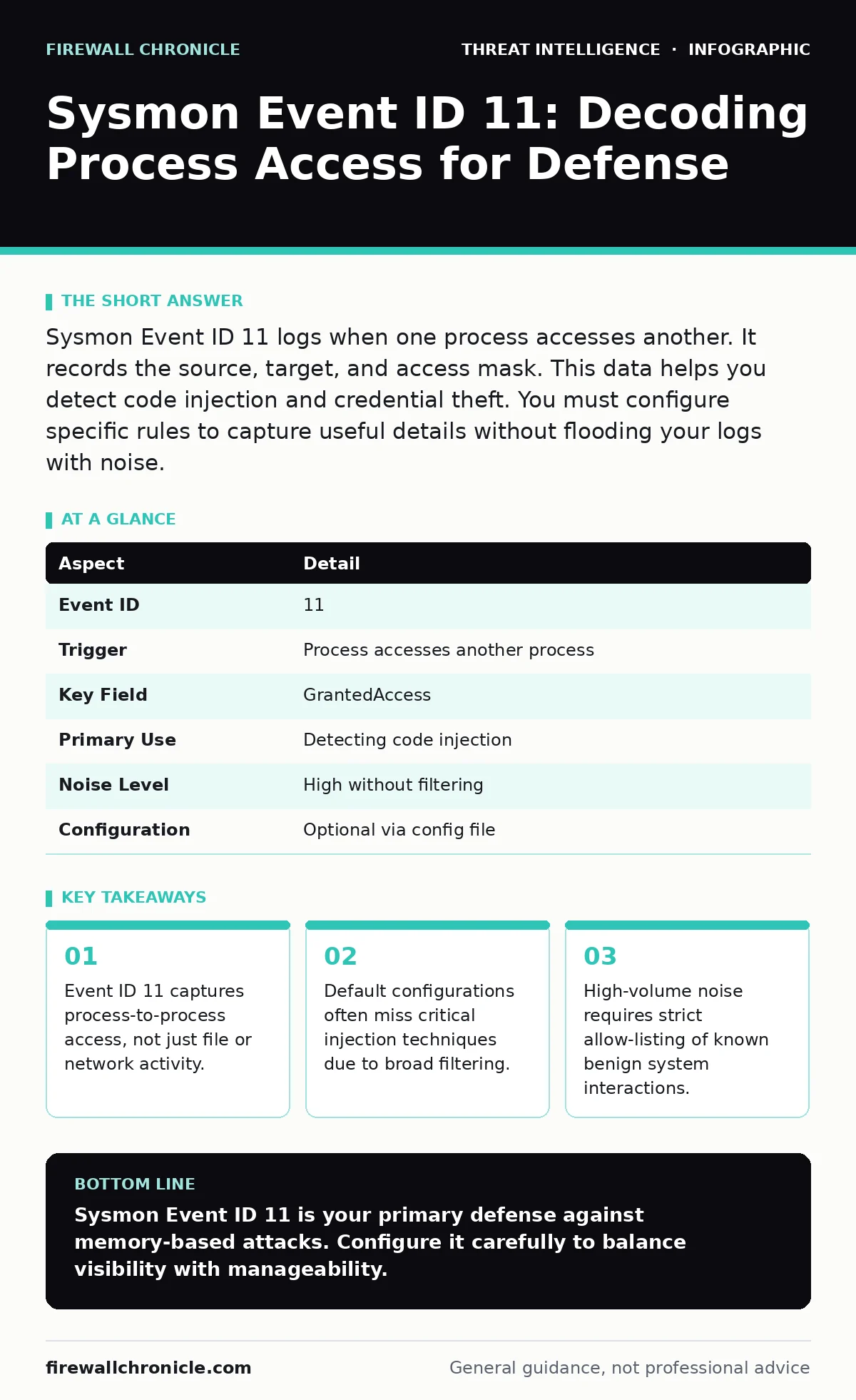
Sysmon Event ID 11 logs when one process accesses another. It records the source, target, and access mask. This data helps you detect code injection and credential theft. You must configure specific rules to capture useful details without flooding your logs with noise.
Understanding Sysmon Event ID 11
Sysmon Event ID 11 records instances where one process accesses the memory of another process. This specific log entry provides visibility into process-level interactions that standard Windows event logs ignore. You need this data to detect advanced persistence and evasion techniques.
Traditional security tools monitor file changes or network connections. They often miss attacks that stay entirely within the memory of a single host. Sysmon bridges this gap by tracking the ProcessAccess event. This mechanism allows you to see when a legitimate application interacts with a suspicious process.
| Aspect | Detail |
|---|---|
| Event ID | 11 |
| Trigger | Process accesses another process |
| Key Field | GrantedAccess |
| Primary Use | Detecting code injection |
| Noise Level | High without filtering |
| Configuration | Optional via config file |
How the Mechanism Works
The operating system uses access tokens to control permissions. When Process A requests access to Process B, the kernel checks these permissions. Sysmon intercepts this check and writes a log entry if configured. The log contains the source process name, the target process name, and the specific access rights granted.
The GrantedAccess field is the most critical part of the log. It contains a hexadecimal value representing the requested permissions. Common values include PROCESS_VM_READ and PROCESS_VM_WRITE. These permissions allow a process to read or modify the memory space of another process. Attackers exploit these permissions to inject malicious code.
You must understand that not all access is malicious. System services frequently access other processes for legitimate management tasks. The challenge lies in distinguishing normal operating system behavior from adversarial activity. Without proper context, every log entry looks like an alert.
Who Is Affected by These Logs
Any environment running Windows with Sysmon installed generates these logs. The impact varies based on the complexity of the software stack. Environments with many background services produce significantly more noise. Developers working with memory-intensive applications often trigger these events during routine debugging.
Security teams are the primary consumers of this data. They use it to build detection rules for intrusion detection systems. The quality of the data depends on the configuration. Poor configuration leads to alert fatigue, where real threats are buried under thousands of false positives.
Imagine a corporate network with standard office software. Word processors and browsers frequently interact with helper processes. These interactions generate Event ID 11 logs. If you monitor every interaction, your storage fills up quickly. You must filter aggressively to keep the signal clear.
Common Misconfigurations
Many administrators enable Sysmon without tuning the event filters. The default configuration often excludes detailed process access logging. This omission leaves a significant blind spot for memory-based attacks. You might think you are covered because Sysmon is installed, but you are not capturing the right data.
Another common error is allowing all access types without restriction. This creates an unmanageable volume of logs. You cannot analyze millions of events daily. You must define a baseline of normal behavior and alert on deviations. This requires understanding your specific environment.
Security teams often ignore the TargetImage field. They focus only on the source process. This is a critical error. The target process is often the indicator of compromise. If a browser accesses a system process, that is suspicious. If a system process accesses a browser, that is often normal.
Configuring for Signal Over Noise
You must edit the Sysmon configuration file to enable Event ID 11. The file uses XML format. You need to specify which processes to include or exclude. Start by excluding known benign system processes. This reduces noise significantly.
Include specific access masks in your configuration. Focus on PROCESS_VM_OPERATION, PROCESS_VM_READ, and PROCESS_VM_WRITE. These masks indicate the ability to modify or read memory. Other access types are less likely to indicate an attack.
Consider integrating with SIEM solutions for real-time analysis. Raw logs are difficult to parse manually. A SIEM can correlate Event ID 11 with other indicators. This correlation provides context that a single log entry cannot. It helps you distinguish between a one-off error and a sustained attack.
See also: Log Management and Analysis: Turning Noise into Signal · Stop Network Enumeration: Hardening Measures That Actually Work
Detecting Injection and Theft
Code injection is a primary use case for this data. Attackers inject malicious code into legitimate processes to hide their activity. This technique bypasses traditional antivirus software. The antivirus sees a trusted process executing code. It does not see the injected payload.
Event ID 11 logs the attempt to access the memory. If a web browser accesses a system process to write memory, that is a strong indicator of injection. You can create a rule to alert on this specific combination. This rule catches the attack at the point of entry.
Credential theft is another common technique. Attackers read the memory of processes like LSASS to extract passwords. This activity generates Event ID 11 logs. The source process is often a suspicious script or executable. The target is a critical security process.
Integrating with Threat Intelligence
Raw logs provide data, but not context. You need threat intelligence to understand the significance of an event. Intelligence feeds can provide indicators of compromise. These indicators help you prioritize alerts.
You can correlate Event ID 11 logs with known malicious hashes. If a process with a known bad hash accesses another process, the alert is high priority. This correlation reduces the time to respond. It also helps you understand the scope of the attack.
Review threat intelligence reports for new injection techniques. Attackers constantly evolve their methods. New techniques may use different access masks or target different processes. Staying updated ensures your detection rules remain effective.
Consider using breach and attack simulation tools to test your detection. These tools simulate real-world attacks. They help you verify that your Sysmon configuration catches the intended threats. This validation is critical for maintaining a secure environment.
Practical Next Steps
Review your current Sysmon configuration. Ensure Event ID 11 is enabled and tuned. Check your allow-lists for outdated entries. Remove any processes that are no longer in use. This keeps your baseline accurate.
Implement detection rules for high-risk access patterns. Focus on processes that should never access system memory. Monitor for unusual parent-child relationships. These relationships often indicate compromised processes.
Integrate your logs with a central monitoring solution. Use Windows event log monitoring best practices to ensure data integrity. Regularly review your alerts to refine your rules. This continuous improvement keeps your defense effective.
Key takeaways
- Event ID 11 captures process-to-process access, not just file or network activity.
- Default configurations often miss critical injection techniques due to broad filtering.
- High-volume noise requires strict allow-listing of known benign system interactions.
Sysmon Event ID 11 is your primary defense against memory-based attacks. Configure it carefully to balance visibility with manageability.
Frequently asked questions
Does Sysmon Event ID 11 log all process interactions?
No, it only logs interactions where one process accesses the memory of another. It does not log file access or network connections.
How do I reduce noise in Event ID 11 logs?
Use allow-listing to exclude known benign processes. Filter by specific access masks to ignore low-risk interactions.
Can attackers disable Sysmon Event ID 11?
Yes, if they have administrative privileges. Monitor for changes to the Sysmon configuration file to detect this action.
Is Event ID 11 available on all Windows versions?
It is available on Windows Vista and later. Ensure you are running a supported version of Sysmon for full compatibility.
How this guide was produced: written by the Firewall Chronicle editorial team with AI assistance, checked against the public references listed below, and reviewed when the facts change. See our editorial policy or report an error.