Security Awareness Training for Small Business: Real Defense
Training stops the human error that bypasses technical controls, turning staff into active defenders against social engineering.
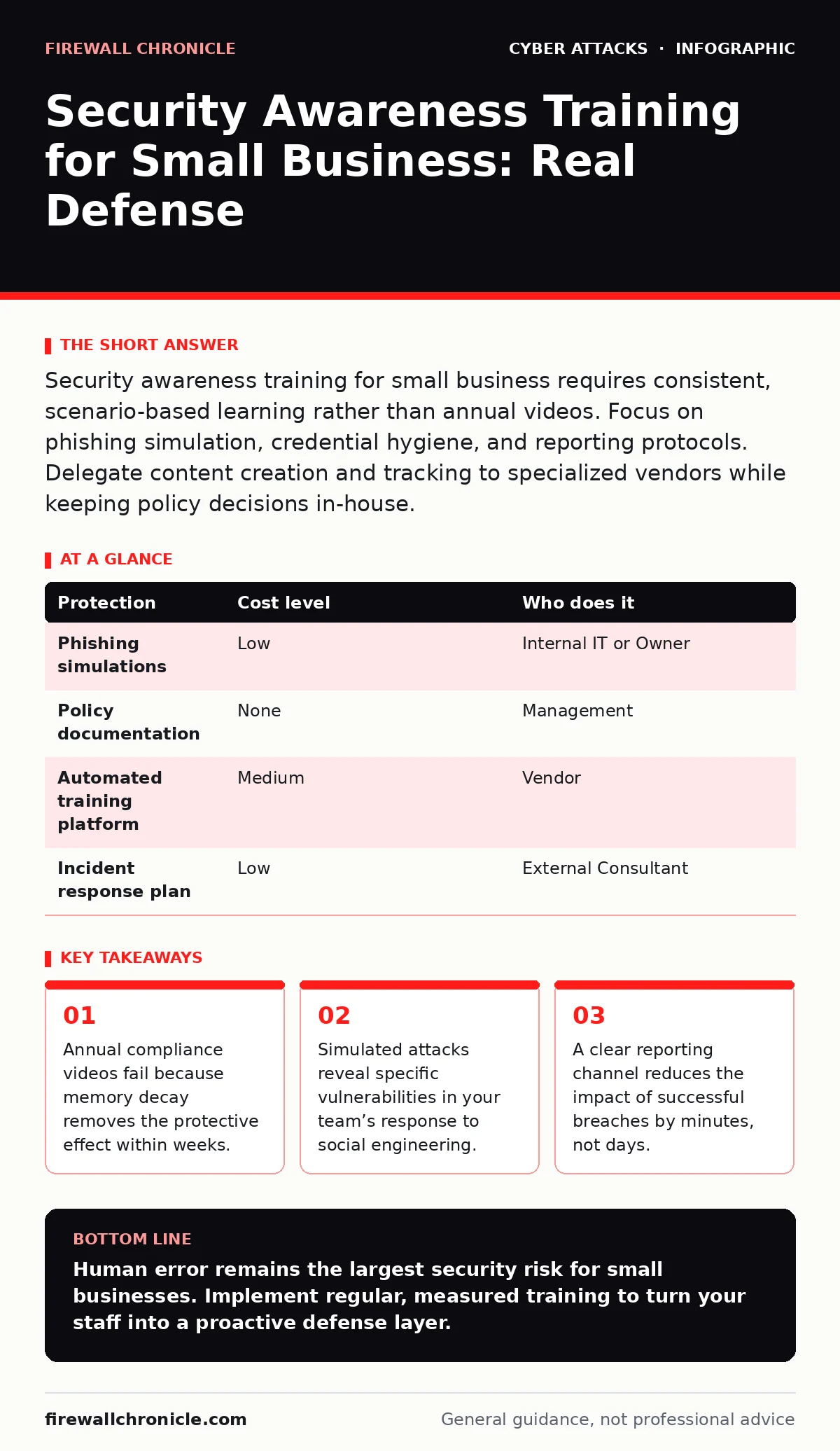
Security awareness training for small business requires consistent, scenario-based learning rather than annual videos. Focus on phishing simulation, credential hygiene, and reporting protocols. Delegate content creation and tracking to specialized vendors while keeping policy decisions in-house.
The Small Business Threat Model
Small organizations face the same threat actors as large enterprises, but with fewer resources to detect and respond. Attackers target small businesses because they often lack dedicated security teams. The perimeter is defined by human judgment, not just firewalls. When a user clicks a malicious link, they provide the attacker with valid credentials or execute code directly on a trusted device. This bypasses external defenses entirely.
You must treat your staff as the primary detection layer. Technical tools like email filters catch most spam. They miss targeted spear phishing attempts that use personal context. A well-crafted message referencing a recent project or internal event looks legitimate to automated systems. Only a human can recognize the subtle inconsistencies in tone or sender details. Training transforms employees from potential entry points into active sensors.
Why Standard Training Fails
Most small businesses rely on annual compliance videos. These sessions cover broad topics like password strength and data privacy. The problem is retention. Human memory fades quickly. A one-hour session in January has little impact by July. By the time a real attack occurs, the specific tactics discussed months ago are forgotten.
Effective training requires repetition and relevance. You need to expose your team to realistic scenarios regularly. Short, frequent interactions reinforce behavioral changes. Instead of a long lecture, use brief simulations that mimic current threats. This approach keeps security top-of-mind without causing fatigue. The goal is to build muscle memory for recognizing suspicious activity.
Affordable Implementation Strategies
You do not need an expensive enterprise platform to start. Many small businesses can begin with manual simulations using free tools. Create fake phishing emails that mimic common attack vectors. Send them to your staff and track who clicks the link. This provides immediate data on your team’s susceptibility.
Focus on the most common attack vectors. Email remains the primary delivery method for malware and credential theft. Train your staff to verify sender addresses, check for urgency cues, and hover over links before clicking. Use internal newsletters to highlight recent simulation results. Publicly praising those who reported the fake email encourages positive behavior. This low-cost approach builds a culture of security without significant financial investment.
| Protection | Cost level | Who does it |
|---|---|---|
| Phishing simulations | Low | Internal IT or Owner |
| Policy documentation | None | Management |
| Automated training platform | Medium | Vendor |
| Incident response plan | Low | External Consultant |
What to Delegate
While you can run basic simulations internally, delegating content creation is often wise. Professional platforms provide updated scenarios that reflect current global trends. They handle the technical complexity of tracking clicks, logins, and report rates. This saves your internal team from spending hours crafting fake emails.
Delegating does not mean abandoning responsibility. You must still define the policies and enforce consequences. The vendor provides the training material and metrics. You provide the context and enforcement. This hybrid approach ensures your training stays relevant while maintaining internal accountability. It also frees your limited IT resources to focus on technical hardening.
Key Metrics to Track
Tracking the right metrics tells you if your training works. Click rates are the most obvious indicator. A high click rate suggests your staff needs more education. However, click rates alone are misleading. You must also track report rates. This measures how many people use the "Report Phishing" button.
A high report rate indicates your staff recognizes the threat and knows how to act. This is more valuable than a zero click rate. It shows active engagement. If click rates drop but report rates stay low, your staff is ignoring threats rather than detecting them. Adjust your training to emphasize reporting procedures. These two metrics together provide a complete picture of your security posture.
See also: Threat Intelligence for Small Teams: Practical Application
Integrating Technical Controls
Training works best when combined with technical safeguards. Even the best-trained user might make a mistake. You need layers of defense to catch these errors. Implement multi-factor authentication everywhere. This ensures that stolen credentials are useless without the second factor.
Consider network segmentation to limit lateral movement. If an attacker compromises a workstation, segmentation prevents them from accessing critical servers. This reduces the blast radius of a human error. Also, ensure your email authentication records are correct. Proper DMARC configuration prevents attackers from spoofing your domain in emails. This combination of human and technical controls creates a resilient defense.
For deeper technical details, refer to our guide on DMARC configuration. Understanding how email authentication works helps you explain the "why" behind your policies. You might also find our guide on hardware security keys useful for securing privileged accounts. These technical measures support your training efforts by reducing the impact of successful social engineering.
Building a Reporting Culture
The fastest way to mitigate an attack is immediate reporting. You need a simple, frictionless way for staff to report suspicious emails. A dedicated email address or a button in the email client works best. Make sure the process is non-punitive. If staff fear reprimand for clicking a link, they will hide it.
Respond quickly to reports. Acknowledge receipt and provide feedback. If the email was indeed malicious, explain what signs to look for. If it was safe, thank them for checking. This feedback loop reinforces learning. It also builds trust between the security team and the rest of the organization. A culture of transparency encourages proactive behavior.
Sustaining Long-Term Awareness
Security awareness is not a project. It is an ongoing process. Threat tactics evolve constantly. Your training must evolve with them. Schedule regular reviews of your training program. Update scenarios to reflect new trends. For example, if you see an increase in SIM swapping attempts, add content about phone number security.
Rotate the topics to keep engagement high. Cover different aspects of security each month. Include physical security, social media hygiene, and remote work safety. This variety prevents boredom and ensures comprehensive coverage. Regular reinforcement keeps security habits strong. It turns awareness into instinct.
For related insights, see our guide on MFA fatigue attacks. Understanding how attackers exploit user convenience helps you design better training. Also, review our guide on angler phishing to protect your brand reputation. These topics complement your core email security training.
Key takeaways
- Annual compliance videos fail because memory decay removes the protective effect within weeks.
- Simulated attacks reveal specific vulnerabilities in your team’s response to social engineering.
- A clear reporting channel reduces the impact of successful breaches by minutes, not days.
Human error remains the largest security risk for small businesses. Implement regular, measured training to turn your staff into a proactive defense layer.
Frequently asked questions
How often should we run phishing simulations?
Run simulations monthly or quarterly. Frequent testing reinforces learning and tracks progress over time without causing alert fatigue.
What if an employee keeps clicking links?
Provide targeted coaching rather than punishment. Explain the specific red flags they missed and practice with simpler scenarios until they improve.
Do we need a vendor for training?
Vendors save time and provide updated content. However, manual simulations are effective for small teams with limited budgets. Start simple and scale as needed.
How do we measure ROI on training?
Track the reduction in click rates and the increase in report rates. Fewer successful breaches and faster incident detection demonstrate the value of the program.
How this guide was produced: written by the Firewall Chronicle editorial team with AI assistance, checked against the public references listed below, and reviewed when the facts change. See our editorial policy or report an error.