
Implement Hardware Security Keys: A Technical Rollout Plan
Hardware keys resist remote theft by binding cryptographic proofs to physical presence, neutralizing credential stuffing and phishing attempts that bypass standard multi-factor authentication.
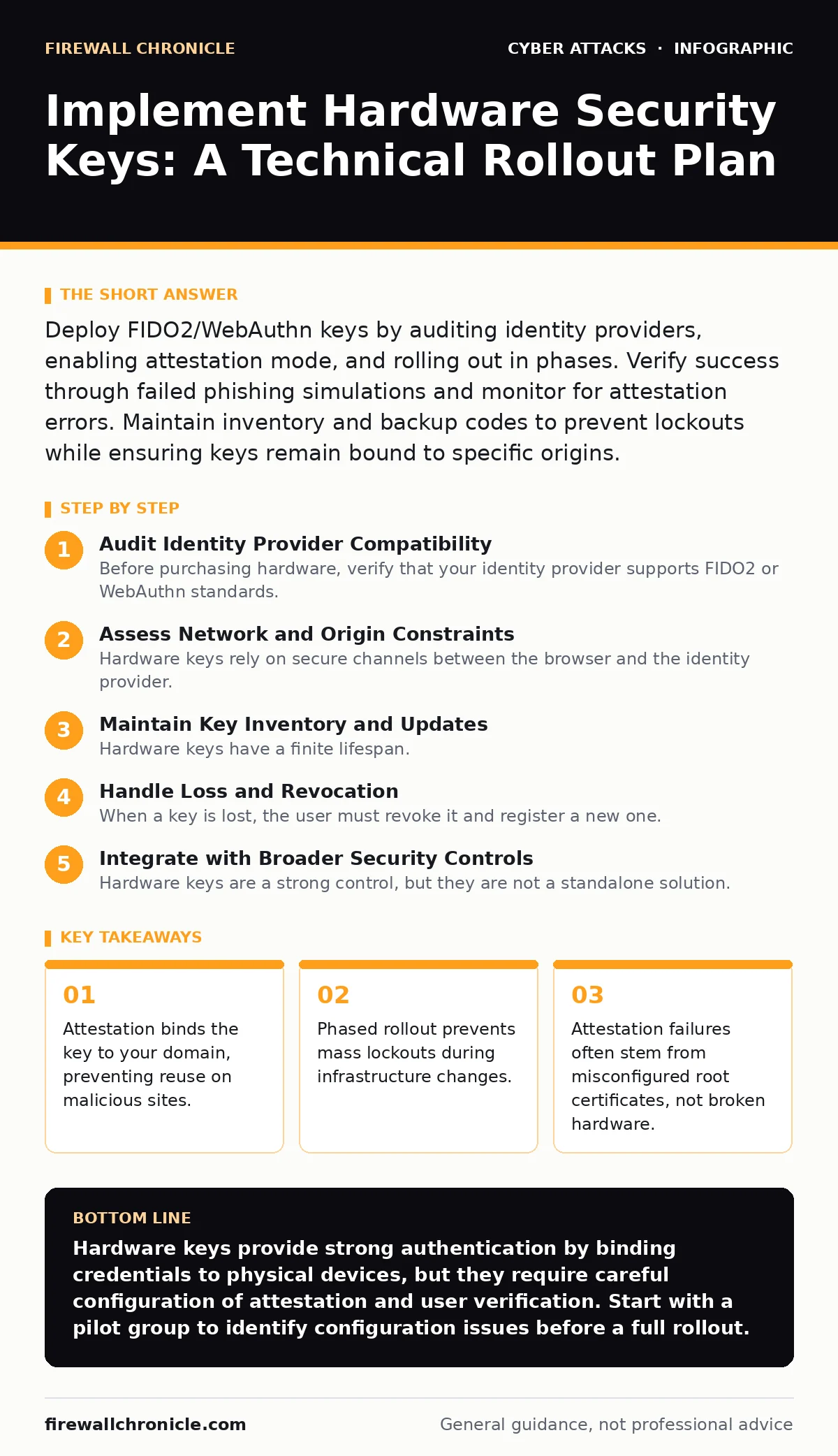
Deploy FIDO2/WebAuthn keys by auditing identity providers, enabling attestation mode, and rolling out in phases. Verify success through failed phishing simulations and monitor for attestation errors. Maintain inventory and backup codes to prevent lockouts while ensuring keys remain bound to specific origins.
Audit Identity Provider Compatibility
Before purchasing hardware, verify that your identity provider supports FIDO2 or WebAuthn standards. Many legacy systems only support U2F, which lacks attestation. Attestation is a cryptographic proof that the key was manufactured by a trusted vendor and is bound to your specific domain. Without attestation, a stolen key could theoretically be used on other sites if the user registers it there.
Check your provider’s documentation for support of resident credentials. Resident credentials allow the key to store the user identifier, enabling passwordless login. This feature reduces friction but increases the complexity of key management. Ensure your provider can handle the additional storage and verification overhead.
Assess Network and Origin Constraints
Hardware keys rely on secure channels between the browser and the identity provider. If your environment uses extensive network segmentation, ensure that the identity provider’s endpoints are accessible from all user networks. Some strict firewall rules may block the WebSocket connections required for certain key interactions. Verify that your Content Security Policy headers allow the necessary origins. Misconfigured origins can cause keys to fail silently, leaving users confused and support teams overwhelmed. You must also ensure that the public key infrastructure is correctly configured to validate the attestation statements.
Step 1: Configure Attestation and User Verification
Enable attestation in your identity provider settings. This step ensures that each key registers its unique identity with your system. Choose between self-attestation and metadata service attestation. Self-attestation is faster but provides less information about the key’s origin. Metadata service attestation checks the key against a global list of approved devices, adding a layer of trust. Enable user verification requirements. This forces the key to check for a fingerprint or PIN before signing. This prevents an attacker with physical access to an unlocked device from using the key. Verify this setting by attempting to sign a request without verification; it should fail.
Step 2: Enroll a Pilot Group
Select a small group of technical users for initial enrollment. These users should have diverse devices and operating systems. Provide them with clear instructions on how to register their keys. Monitor the enrollment logs for errors. Look for specific error codes related to attestation failures or unsupported algorithms. If errors occur, check the identity provider’s compatibility list. Adjust your configuration to support the algorithms used by the pilot group’s keys. This phase reveals edge cases in your infrastructure before a full rollout.
Step 3: Roll Out to General Users
Expand enrollment to all users. Communicate the changes clearly, emphasizing the security benefits. Provide a fallback method, such as backup codes, for users who lose their keys. Ensure that support staff are trained to handle common issues, such as pairing errors. Monitor the authentication logs for unusual patterns. A sudden spike in failed authentications may indicate a configuration error or a targeted attack. Adjust your rollout pace if you encounter significant friction.
Step 4: Verify Implementation
Run a verification checklist to ensure the system works as intended. Test with multiple key types and operating systems. Confirm that attestation data is being recorded correctly. Check that user verification is enforced. Verify that backup codes work for account recovery. Ensure that the system rejects keys registered on different origins. This step confirms that the security controls are active and effective.
- Attestation statements are stored for all new keys.
- User verification fails when PIN or fingerprint is missing.
- Backup codes successfully recover locked accounts.
- Keys registered on test domains are rejected on production.
Maintain Key Inventory and Updates
Hardware keys have a finite lifespan. Batteries in NFC keys may die, and firmware may need updates. Maintain an inventory of issued keys, including their model and issuance date. Plan for replacement cycles based on vendor recommendations. Keep your identity provider’s root certificates up to date. Outdated certificates will cause new keys to fail attestation. Regularly review your security policies to ensure they align with current threats. For example, while keys resist SIM swapping, they do not protect against social engineering attacks that trick users into approving legitimate-looking requests.
Handle Loss and Revocation
When a key is lost, the user must revoke it and register a new one. Ensure that your system allows for easy revocation without compromising the account. Use backup codes to verify the user’s identity during this process. Monitor for duplicate registrations, which may indicate a stolen key. If you suspect a key is compromised, revoke it immediately. This prevents an attacker from using the key before you can reset the account. Document the revocation process for support staff to ensure consistency.
Integrate with Broader Security Controls
Hardware keys are a strong control, but they are not a standalone solution. Combine them with rate limiting to prevent brute-force attacks on the registration endpoint. Use network segmentation to isolate critical identity services. Protect your users from angler phishing by educating them about verifying the origin of requests. While keys prevent credential theft, they do not stop a user from voluntarily handing over access. Integrate these controls to create a layered defense that addresses multiple attack vectors.
Key takeaways
- Attestation binds the key to your domain, preventing reuse on malicious sites.
- Phased rollout prevents mass lockouts during infrastructure changes.
- Attestation failures often stem from misconfigured root certificates, not broken hardware.
Hardware keys provide strong authentication by binding credentials to physical devices, but they require careful configuration of attestation and user verification. Start with a pilot group to identify configuration issues before a full rollout.
Frequently asked questions
Do hardware keys work offline?
Yes, the cryptographic operations happen on the key itself. The key only needs a network connection to communicate with the service, not to perform the math.
What happens if I lose my hardware key?
You must use backup codes or a secondary factor to recover your account. Always generate and store backup codes securely when you first register a key.
Can hardware keys be cloned?
Standard FIDO2 keys cannot be cloned because the private key never leaves the device. However, low-quality keys may have vulnerabilities, so stick to reputable vendors.
Do I need a different key for each service?
No, a single FIDO2 key can register with multiple services. However, you should use different keys for high-security accounts to limit exposure if one is lost.
How this guide was produced: written by the Firewall Chronicle editorial team with AI assistance, checked against the public references listed below, and reviewed when the facts change. See our editorial policy or report an error.