Attack Lifecycle: Map Breach Stages for Small Business Defense
Most small business breaches fail at the initial access stage, yet defenders waste resources monitoring late-stage data exfiltration instead of blocking the entry point.
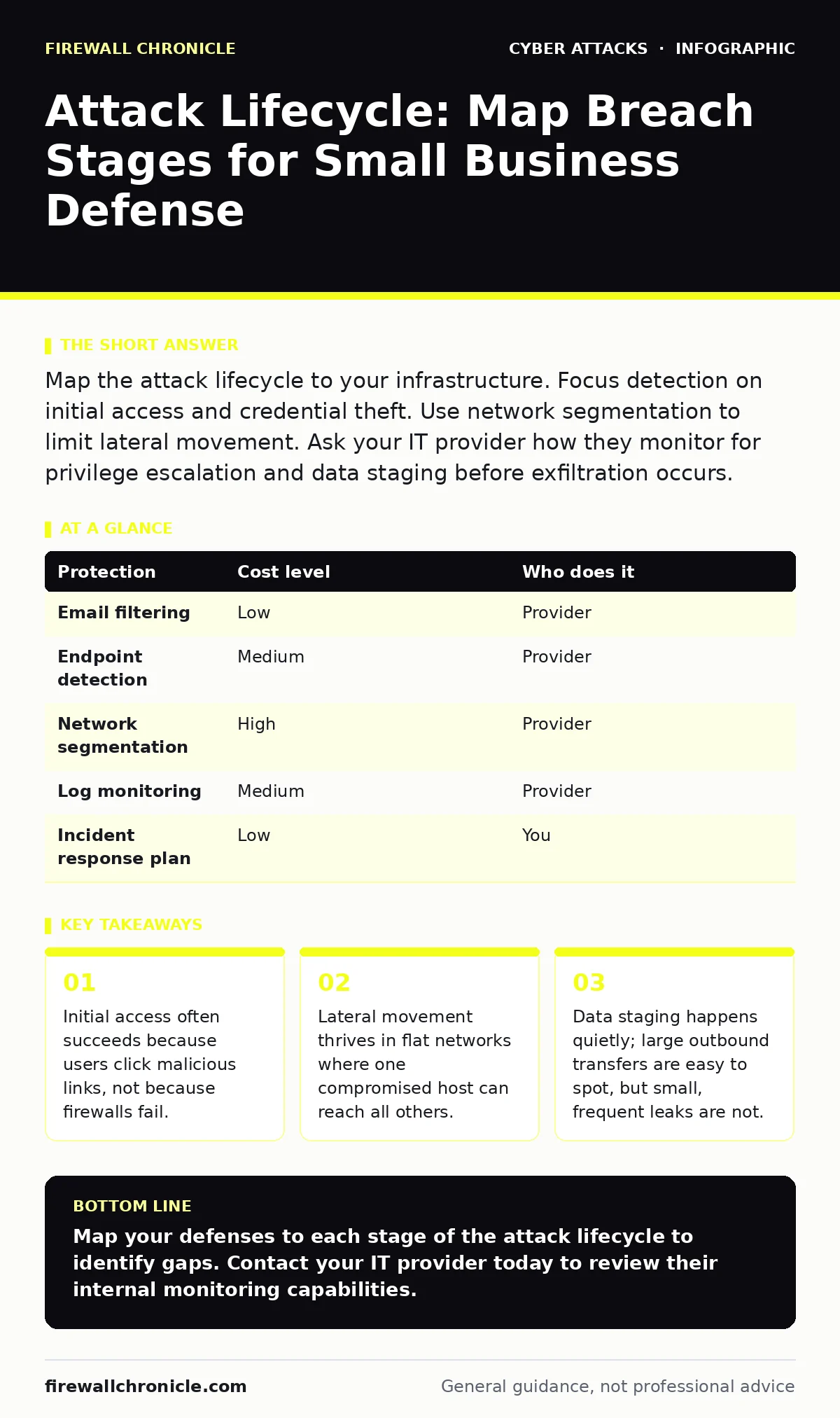
Map the attack lifecycle to your infrastructure. Focus detection on initial access and credential theft. Use network segmentation to limit lateral movement. Ask your IT provider how they monitor for privilege escalation and data staging before exfiltration occurs.
Why the Lifecycle Model Matters for Small Teams
The attack lifecycle describes the sequential phases an adversary uses to compromise a system. Small organizations often view security as a binary state: either you are protected, or you are not. This view is incorrect. Attacks are processes with distinct stages. Each stage presents a different detection opportunity. By understanding the lifecycle, you shift from trying to block every attack to disrupting the process at its weakest link.
Most small businesses lack the staff to monitor network traffic continuously. You cannot watch every packet. However, you can define what normal behavior looks like for each phase. If you know that the initial access phase usually involves email, you prioritize email security. If you know lateral movement requires internal network access, you prioritize network segmentation. This targeted approach saves time and resources.
Initial Access and the Human Vector
Initial access is how an attacker enters your environment. For small teams, this rarely involves complex zero-day exploits. It usually involves social engineering. The attacker sends a message that looks legitimate. The recipient clicks a link or opens an attachment. This action installs malware or harvests credentials.
You must assume your email gateway will miss some threats. Email filters are not perfect. They rely on known signatures and reputation scores. New domains and crafted messages slip through. This is where security awareness training becomes a technical control, not just a policy. Users who recognize the subtle cues of angler phishing can stop the attack before it begins. Training should focus on recognizing urgency and unusual sender behavior, not just identifying obvious spam.
Credential Theft and Persistence
Once inside, the attacker needs to stay. They look for stored passwords. They capture keystrokes. They steal session tokens. This phase is about persistence. If the attacker loses access, they want a way back in without starting over.
Multi-factor authentication stops many credential theft attempts. However, attackers have adapted. They now use MFA fatigue attacks, sending push notifications until the user approves one out of annoyance. You must configure your authentication systems to reject rapid, repeated requests. You should also monitor for logins from unusual locations or at odd hours. These anomalies often signal that an attacker has stolen a valid token and is trying to use it.
Privilege Escalation and Lateral Movement
The initial account usually has limited rights. The attacker needs more access to reach valuable data. This is privilege escalation. They exploit misconfigurations or use stolen credentials to access higher-privilege accounts. Once they have elevated rights, they move laterally. They jump from one system to another.
Flat networks make this easy. In a typical small office network, every device can talk to every other device. If one laptop is compromised, the attacker can scan the entire network. They look for administrative shares and unpatched services. Network segmentation breaks this path. By dividing your network into zones, you limit where an attacker can go. A compromised marketing laptop should not be able to reach the finance server. This containment strategy reduces the blast radius of any single breach.
Data Staging and Exfiltration
Before stealing data, attackers often collect it. This is data staging. They compress files, archive logs, or copy documents to a hidden location. This preparation makes the final theft faster and less noticeable. Exfiltration is the actual transfer of data to the attacker’s server.
Many small businesses assume that large data transfers are the only threat. This is a mistake. Attackers often exfiltrate small amounts of data frequently. This technique avoids triggering alerts on bandwidth usage. You must monitor for unusual outbound connections, not just volume. Web filtering can help block connections to known malicious domains. However, you must also look for new, unknown destinations. A server that never contacts the internet suddenly sending data to a new IP address is a red flag.
See also: Network Segmentation: Stop Lateral Movement Before It Starts
Detecting Man-in-the-Middle Attacks
During lateral movement and exfiltration, attackers may use man-in-the-middle attacks to intercept traffic. They position themselves between two communicating systems. They can read, modify, or inject data into the session. This is common in wireless networks or when using unencrypted protocols.
You must enforce encryption everywhere. Use TLS for all web traffic. Use VPNs for remote access. Disable weak encryption protocols. Even if an attacker is on your network, they cannot read your data if it is encrypted properly. This defense protects against passive eavesdropping. It does not stop an attacker from disrupting the connection, but it preserves confidentiality.
What to Ask Your IT Provider
Your IT provider manages your defenses. You must ensure they are monitoring the right phases of the attack lifecycle. Do not assume they are. Ask specific questions about their detection and response capabilities.
| Protection | Cost level | Who does it |
|---|---|---|
| Email filtering | Low | Provider |
| Endpoint detection | Medium | Provider |
| Network segmentation | High | Provider |
| Log monitoring | Medium | Provider |
| Incident response plan | Low | You |
- How do you detect initial access attempts beyond email filtering?
- What tools do you use to monitor for lateral movement within our network?
- How do you identify data staging activities before exfiltration occurs?
- What is your process for responding to a confirmed credential compromise?
- Do you perform regular tests to verify that network segmentation is effective?
Implementing Practical Defenses
You do not need expensive tools to defend against the attack lifecycle. You need disciplined processes. Start by mapping your critical assets. Identify where your sensitive data lives. Then, trace the paths an attacker could take to reach them.
Implement network segmentation. Isolate your servers from your workstations. Restrict administrative access. Use least privilege principles. Ensure users only have the access they need to do their jobs. This limits the impact of credential theft.
Monitor your logs. Look for anomalies. Define what normal behavior looks like for your systems. Alert on deviations. This is not about catching every attack. It is about catching enough to stop the process. If you disrupt the lifecycle at any point, you win.
The Cost of Inaction
Ignoring the attack lifecycle leaves you vulnerable. You may have a firewall, but it does not stop internal attacks. You may have antivirus, but it does not stop social engineering. You must defend in depth. Each layer of defense adds time and difficulty for the attacker.
Small businesses are attractive targets. They often have weak defenses and valuable data. Attackers know this. They use automated tools to find easy targets. By understanding the lifecycle, you make yourself a harder target. You force the attacker to work harder. Most attackers will move on to an easier victim.
Final Considerations
Security is not a product. It is a process. You must continuously improve your defenses. Review your policies regularly. Update your tools. Train your users. Test your response plans.
The attack lifecycle is a framework. It helps you organize your defense. It helps you prioritize your spending. It helps you communicate with your IT provider. Use it to build a resilient security posture.
Key takeaways
- Initial access often succeeds because users click malicious links, not because firewalls fail.
- Lateral movement thrives in flat networks where one compromised host can reach all others.
- Data staging happens quietly; large outbound transfers are easy to spot, but small, frequent leaks are not.
Map your defenses to each stage of the attack lifecycle to identify gaps. Contact your IT provider today to review their internal monitoring capabilities.
Frequently asked questions
How do I stop initial access attacks?
Implement strict email filtering and train users to recognize social engineering. Enforce multi-factor authentication to block credential reuse.
What is the best way to prevent lateral movement?
Use network segmentation to isolate critical systems. Apply least privilege principles to limit user access. Monitor internal traffic for unusual connections.
How can I detect data staging?
Monitor for large file compressions, archive creation, and unusual access to sensitive directories. Alert on new outbound connections to unknown IP addresses.
Do I need a security operations center?
No. Small businesses can use managed security service providers to monitor logs and respond to incidents. Ensure they cover internal network activity.
How this guide was produced: written by the Firewall Chronicle editorial team with AI assistance, checked against the public references listed below, and reviewed when the facts change. See our editorial policy or report an error.