Angler Phishing Mechanics: How Attackers Hijack Support Threads
Attackers compromise legitimate customer support accounts to impersonate brands, bypassing email filters by operating within trusted social platforms rather than through unsolicited messages.
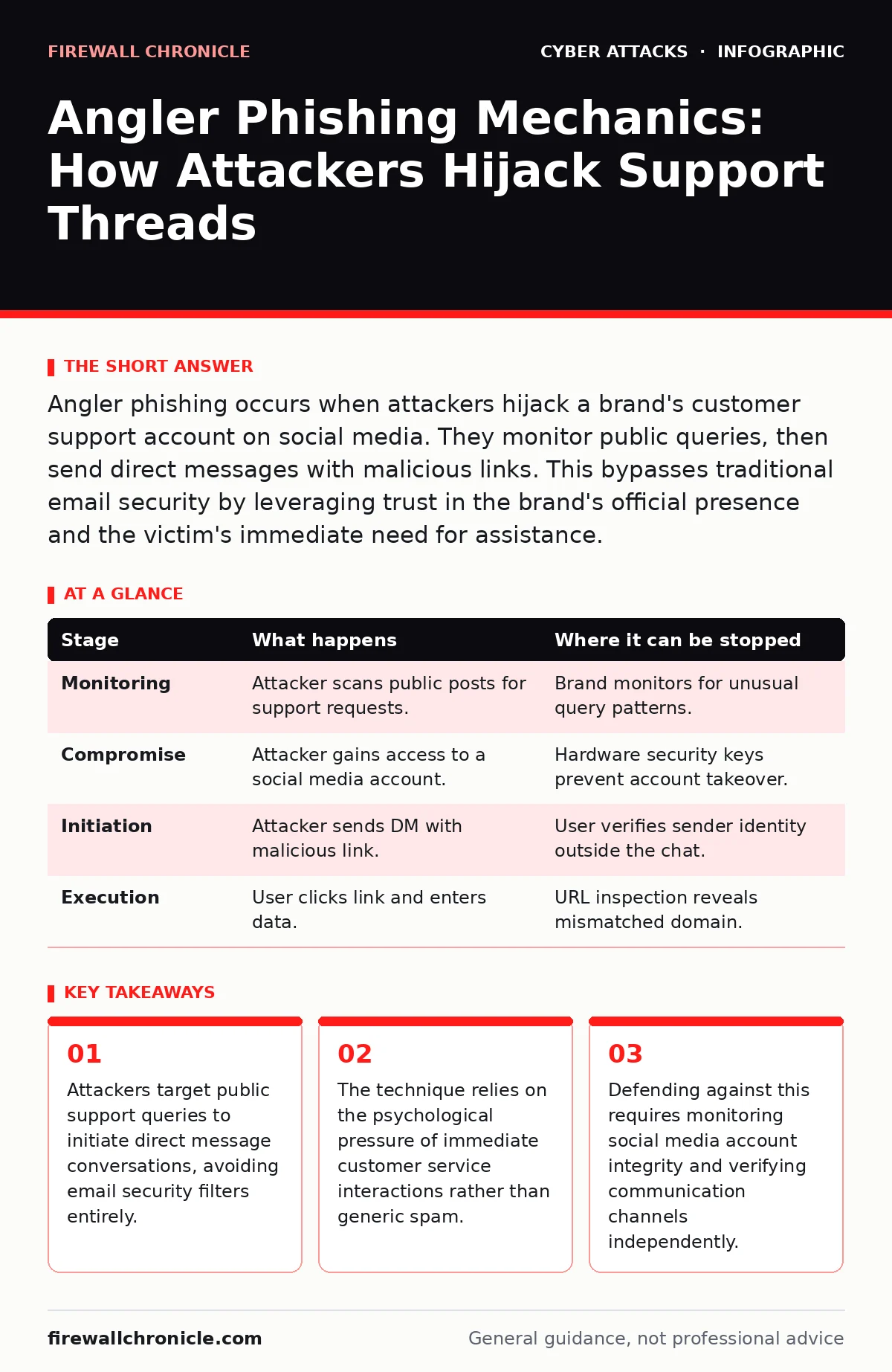
Angler phishing occurs when attackers hijack a brand's customer support account on social media. They monitor public queries, then send direct messages with malicious links. This bypasses traditional email security by leveraging trust in the brand's official presence and the victim's immediate need for assistance.
The Foundation of Trust Exploitation
Angler phishing differs from standard email spam because it operates within platforms where users already engage with brands. You likely interact with customer support on social media for convenience. Attackers recognize that this convenience creates a blind spot in your security posture. They do not send unsolicited messages into the void. Instead, they wait for you to seek help publicly.
The mechanism relies on the assumption that a message from a verified account is safe. This assumption holds true for years until the account itself becomes the vector. The attacker does not need to craft a perfect replica of a website initially. They only need control over the outbound messaging capability of a trusted entity.
Stage 1: Public Query Monitoring
The attack begins with passive observation. The attacker monitors hashtags, mentions, and public comment sections associated with a specific brand. They look for users expressing frustration, asking for resets, or reporting issues. These users are high-value targets because they are already in a problem-solving mindset.
The attacker copies the username or query details. They do not respond publicly. Instead, they prepare a direct message. This step exploits the latency between public posting and private resolution. You expect a response, and the attacker provides it faster than the legitimate support team might.
Stage 2: Account Compromise and Preparation
Before the interaction begins, the attacker must secure a foothold. They typically acquire credentials through credential stuffing or previous social engineering campaigns. They need access to an account that can send direct messages. This could be a hijacked support account, a compromised partner account, or even a regular user account that the attacker has groomed to appear authoritative.
The attacker configures the account to match the brand’s voice. They may change profile pictures or bios to mimic official support. This preparation is critical. If the account looks like a random user, the victim will likely dismiss the message. The attacker needs the illusion of officialdom to be seamless.
Stage 3: Initiation of Direct Contact
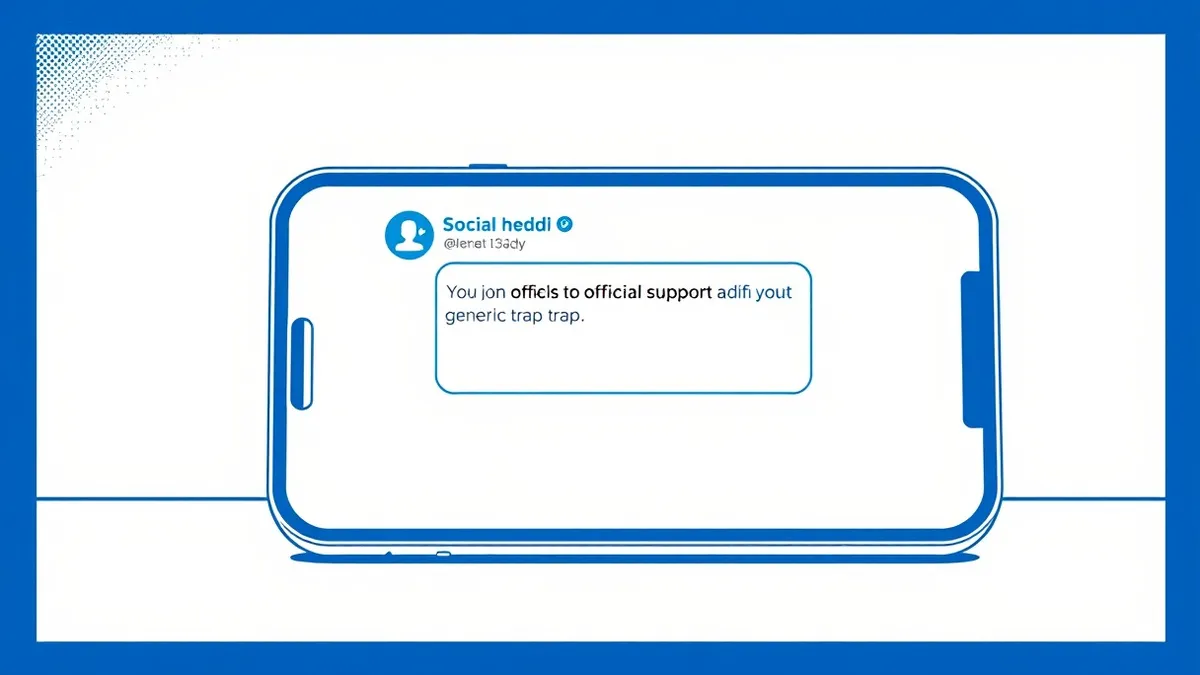
The attacker sends a direct message to the user who posted publicly. The message references the specific issue raised. It offers immediate help. It often includes a link to a "secure portal" or a "ticket update page." This link is the payload.
This stage bypasses traditional email security because the communication happens within a social platform’s messaging system. Email filters look for sender addresses and content patterns. Social media direct messages are not subject to the same scrutiny. You are more likely to click a link in a direct message from "Support" than an email from an unknown address.
Stage 4: The Impersonation Interface
When you click the link, you land on a webpage that mimics the brand’s login or support portal. This is where the technical execution occurs. The page captures your input. It may ask for credentials, payment details, or personal identifiers.
The interface is designed to reduce cognitive load. It uses the brand’s colors, fonts, and logos. It may even show a fake ticket number. The goal is to make you feel that you are completing a routine administrative task. The attacker relies on the fact that you are not checking the URL closely because you are focused on resolving the initial problem.
Stage 5: Credential Harvesting and Exit
Once you submit your information, the attacker captures it. They may log you out immediately or redirect you to a real page to maintain the illusion. The attacker now has your credentials. They can use them for further man-in-the-middle attacks or sell them on dark web markets.
The attacker often deletes the direct message thread after the interaction. This removes evidence. If you later notice suspicious activity, you may not remember receiving the message. This makes tracing the attack vector difficult for incident response teams.
| Stage | What happens | Where it can be stopped |
|---|---|---|
| Monitoring | Attacker scans public posts for support requests. | Brand monitors for unusual query patterns. |
| Compromise | Attacker gains access to a social media account. | Hardware security keys prevent account takeover. |
| Initiation | Attacker sends DM with malicious link. | User verifies sender identity outside the chat. |
| Execution | User clicks link and enters data. | URL inspection reveals mismatched domain. |
The Psychological Vector
The success of angler phishing depends on urgency. You want your issue resolved. The attacker provides a solution that appears official and immediate. This bypasses your skepticism. You are not being sold a product; you are being offered help.
This is distinct from phishing simulations often used in corporate training. Those simulations usually rely on fear or greed. Angler phishing relies on trust in an ongoing relationship. It is a subtler form of manipulation. It exploits the expectation that the brand cares enough to reach out directly.
Interrupting the Chain
You can interrupt this attack at the initiation stage. Do not trust direct messages, even from verified accounts. If you posted publicly, check the official support portal for a response. Do not click links in direct messages.
Brands must protect their social media accounts with strict access controls. Hardware security keys add a layer of protection that passwords alone cannot provide. If an attacker cannot compromise the account, they cannot send the initial message.
Long-Term Defense Strategies
Defense requires a shift in how organizations view social media. It is not just a marketing channel; it is a support vector that requires security hygiene. Implement rate limiting on API access to prevent automated scraping of public queries.
Train support staff to recognize when an account has been compromised. If a support agent notices unusual activity, they should lock the account immediately. This stops the attack vector before it can be exploited at scale.
Users should adopt the habit of verifying all support communications. If a direct message offers help, log in to the service directly through the official app or website. Do not use the link provided in the message. This simple step breaks the attack chain.
Key takeaways
- Attackers target public support queries to initiate direct message conversations, avoiding email security filters entirely.
- The technique relies on the psychological pressure of immediate customer service interactions rather than generic spam.
- Defending against this requires monitoring social media account integrity and verifying communication channels independently.
Frequently asked questions
How do I know if my social media account has been compromised?
Check your login activity logs for unfamiliar locations or devices. Look for unauthorized changes to profile information or security settings. If you notice discrepancies, change your password immediately.
Can angler phishing target private accounts?
Yes, if the attacker has access to a list of usernames or if you have shared information publicly elsewhere. Attackers may also target private accounts if they compromise a friend’s account to send messages.
Why is this harder to detect than email phishing?
Email security tools scan for malicious links and suspicious senders. Social media platforms do not scan direct messages with the same intensity, and the context of a trusted brand reduces user suspicion.
Should I block all direct messages from brands?
Blocking all messages is impractical, but you can restrict who can message you. Limiting direct messages to followers you interact with reduces the risk of unsolicited attacks from compromised accounts. BOTTOM LINE: Angler phishing exploits the trust you place in official brand accounts by hijacking them to send malicious direct messages. Verify all support communications by logging in directly through the official website or app, never via links in social media messages.
How this guide was produced: written by the Firewall Chronicle editorial team with AI assistance, checked against the public references listed below, and reviewed when the facts change. See our editorial policy or report an error.