Cloud Security Groups Checklist for Tight Network Control
Default deny rules and stateful tracking prevent most unauthorized access while allowing legitimate application traffic to flow without manual session management overhead.
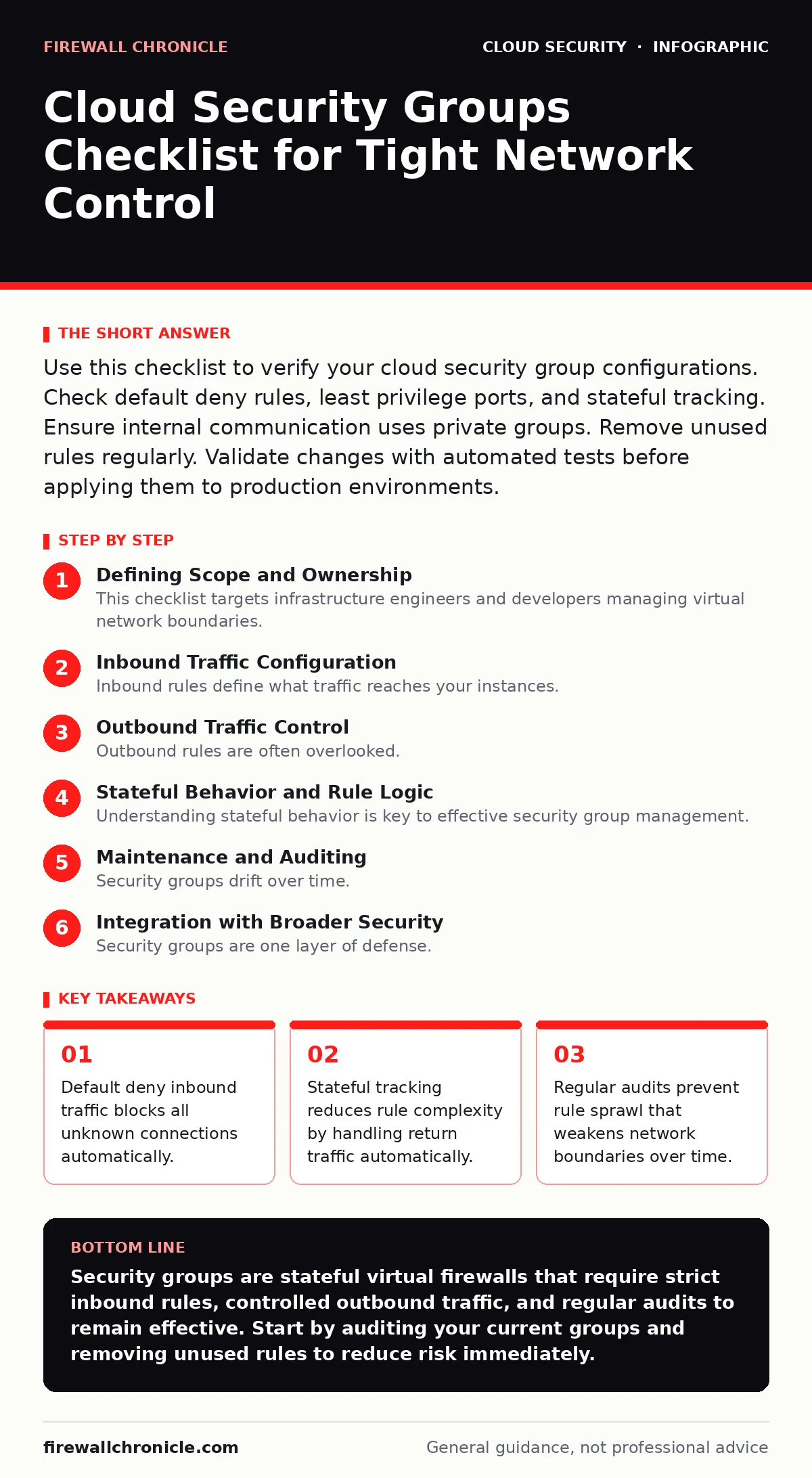
Use this checklist to verify your cloud security group configurations. Check default deny rules, least privilege ports, and stateful tracking. Ensure internal communication uses private groups. Remove unused rules regularly. Validate changes with automated tests before applying them to production environments.
Defining Scope and Ownership
This checklist targets infrastructure engineers and developers managing virtual network boundaries. Security groups act as virtual firewalls attached to compute instances or load balancers. You use them to control inbound and outbound traffic at the instance level. Unlike traditional firewalls, security groups are stateful. This means if you allow an inbound request, the return traffic is automatically permitted regardless of outbound rules.
This distinction simplifies configuration but requires careful planning. You must assign ownership to every group. Without clear ownership, rules accumulate without review. Start by identifying which application or team owns each security group. Document this in your configuration management system. Link the group to the service it protects. This creates accountability for rule changes. It also helps during incident response. You can quickly isolate affected services.
Inbound Traffic Configuration
Inbound rules define what traffic reaches your instances. Misconfigured inbound rules are the most common cause of exposure. Follow this checklist to secure inbound access.
- Default deny inbound: Block all inbound traffic by default to ensure only explicitly allowed connections reach your instances.
- Least privilege ports: Open only the specific ports required by your application, such as 443 for HTTPS or 22 for SSH.
- Source restriction: Limit source IP ranges to known networks or other security groups instead of using 0.0.0.0/0.
- Protocol specificity: Define exact protocols like TCP or UDP rather than allowing "all traffic" to prevent unexpected data flows.
- No public SSH access: Disable direct SSH access from the internet and use a bastion host or jump box for administrative access.
Allowing broad source ranges introduces significant risk. Even if your application does not expose a port, an open rule creates an attack surface. Attackers scan for open ports constantly. Restricting sources to other security groups provides dynamic protection. If a source instance changes IP, the rule still works. This avoids manual updates. It also enforces network segmentation. Refer to cloud network segmentation for broader strategies on isolating workloads.
Outbound Traffic Control
Outbound rules are often overlooked. Many teams leave outbound traffic wide open. This is a critical mistake. Outbound controls limit data exfiltration and command-and-control communications. Imagine a compromised instance tries to send stolen data to a remote server. Strict outbound rules can block this. Configure outbound rules carefully.
- Default allow outbound: Many cloud providers default to allow all outbound traffic, which you must explicitly restrict.
- Required destinations only: Allow outbound connections only to necessary services like DNS, update servers, and downstream APIs.
- Protocol limits: Restrict outbound protocols to those required by the application to prevent covert channels.
- No direct internet access: Block direct internet access for internal services that should only communicate via proxies or gateways.
- Logging enabled: Enable flow logs for outbound traffic to detect anomalous data transfers or unexpected connections.
Leaving outbound rules open is a hidden cost. It simplifies development but increases security risk. Malware on a compromised instance can communicate freely. Data theft becomes easier. By restricting outbound traffic, you contain breaches. You also reduce the blast radius of misconfigurations. This approach aligns with zero trust network access principles. You verify each connection regardless of its direction.
Stateful Behavior and Rule Logic
Understanding stateful behavior is key to effective security group management. Security groups remember the state of connections. This reduces the number of rules you need. However, it also hides complexity. If you block an inbound request, the return traffic is also blocked. If you allow it, return traffic passes. This logic can lead to unexpected behavior if not understood.
- Understand statefulness: Recognize that return traffic is automatically allowed for established connections without explicit outbound rules.
- Avoid redundant rules: Remove outbound rules that mirror inbound rules to reduce complexity and potential errors.
- Test connection flow: Verify that allowed inbound rules actually result in successful connections end-to-end.
- Monitor dropped packets: Analyze logs for dropped packets to identify misconfigured rules or unexpected traffic patterns.
- Document rule intent: Add comments to each rule explaining why it exists to aid future audits and changes.
Stateful tracking simplifies management but can obscure issues. If a connection fails, it is hard to tell if inbound or outbound rules caused it. Testing is vital. Use tools to simulate traffic. Verify that legitimate traffic passes and blocked traffic stays out. This prevents false positives and negatives. It ensures your application works as expected.
Maintenance and Auditing
Security groups drift over time. Rules are added but rarely removed. This leads to rule sprawl. Sprawl makes audits difficult and increases risk. Regular maintenance is necessary. Automate where possible.
- Regular audits: Review all rules quarterly to identify and remove unused or obsolete entries.
- Automated cleanup: Use scripts to detect and flag rules that have not allowed traffic in the last 90 days.
- Change management: Require approval for new rules to prevent unauthorized changes and ensure documentation.
- Version control: Store security group configurations in version control systems to track changes and enable rollbacks.
- Incident response plan: Have a plan to quickly modify or disable security groups during a security incident.
Drift is inevitable without discipline. Rules added for debugging often remain in production. This creates security holes. Automated tools help identify these. Integrate security group checks into your CI/CD pipeline. This ensures changes are reviewed before deployment. It also aligns with cloud migration security best practices. You maintain security posture during infrastructure changes.
See also: Mutable vs Immutable Infrastructure: Why State Changes Break Security · Multi Cloud Security Challenges: How to Stop Config Drift
Integration with Broader Security
Security groups are one layer of defense. They must work with other controls. Integration ensures comprehensive protection. Consider how security groups interact with other systems.
- Network ACLs: Use network access control lists for stateless, subnet-level filtering to add another layer of defense.
- IAM roles: Combine security groups with identity and access management to restrict who can modify rules.
- Encryption: Ensure traffic between security groups is encrypted where sensitive data is involved.
- Monitoring: Integrate security group logs with your security information and event management system for real-time alerts.
- Backup plans: Maintain backups of security group configurations to restore quickly after accidental changes or attacks.
Security groups do not replace other security measures. They complement them. Network ACLs provide an additional barrier. IAM controls access to configuration. Encryption protects data in transit. Monitoring provides visibility. Together, these layers create a strong defense. This approach is vital for cloud supply chain risks. You protect not just your instances but the entire ecosystem.
Key takeaways
- Default deny inbound traffic blocks all unknown connections automatically.
- Stateful tracking reduces rule complexity by handling return traffic automatically.
- Regular audits prevent rule sprawl that weakens network boundaries over time.
Security groups are stateful virtual firewalls that require strict inbound rules, controlled outbound traffic, and regular audits to remain effective. Start by auditing your current groups and removing unused rules to reduce risk immediately.
Frequently asked questions
Can security groups block traffic by IP address?
Yes, security groups allow you to specify source or destination IP addresses or CIDR blocks to permit or deny traffic from specific networks.
What is the difference between security groups and network ACLs?
Security groups are stateful and operate at the instance level, while network ACLs are stateless and operate at the subnet level, providing an additional layer of defense.
How do I find unused security group rules?
Enable flow logs for your security groups and analyze the data to identify rules that have not allowed any traffic over a specified period, such as 90 days.
Can I change security group rules on the fly?
Yes, security group rule changes take effect immediately, so you can add, modify, or remove rules without restarting your instances or disrupting active connections.
How this guide was produced: written by the Firewall Chronicle editorial team with AI assistance, checked against the public references listed below, and reviewed when the facts change. See our editorial policy or report an error.