How Rate Limiting Works: The Mechanics Behind Request Throttling
Rate limiting does not block attackers; it forces them to slow down, turning a flood of requests into a manageable stream that reveals their presence.
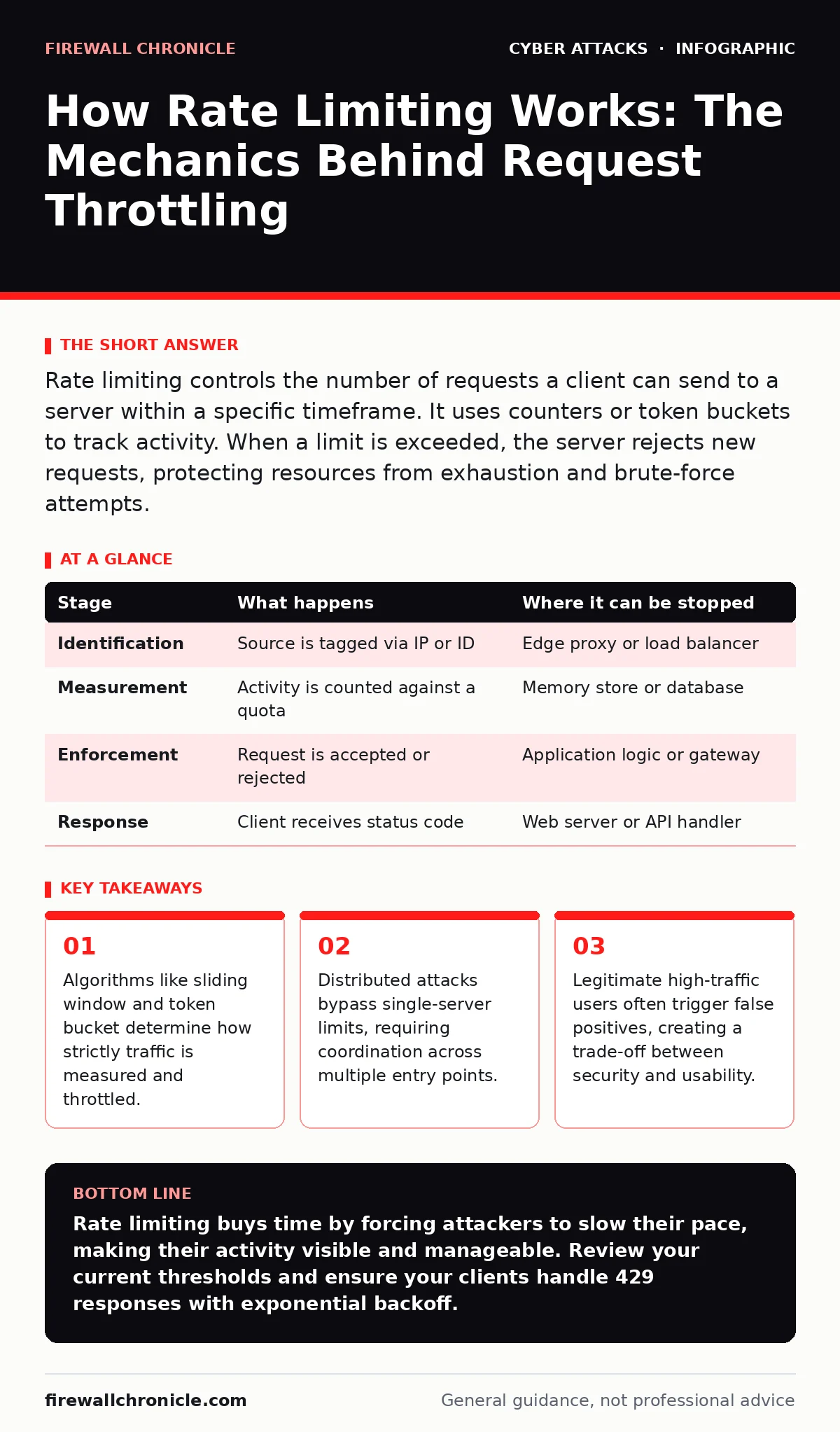
Rate limiting controls the number of requests a client can send to a server within a specific timeframe. It uses counters or token buckets to track activity. When a limit is exceeded, the server rejects new requests, protecting resources from exhaustion and brute-force attempts.
The First Line of Defense
Imagine a door that opens only once every ten seconds, regardless of how many people knock. Rate limiting applies this same principle to digital services. It is a mechanism that restricts the number of actions a user or system can perform in a given period. Without it, a server would process every incoming request until its resources were exhausted.
This control prevents abuse, such as dictionary attacks, where an automated script tries thousands of passwords per second. It also stops application-layer denial-of-service floods. The goal is not to stop all traffic, but to enforce a fair usage policy. You must define what constitutes "too much" before you can limit it.
Stage 1: Request Identification
The process begins when a request arrives at the edge of your network. The system must identify the source to track its behavior. This identification usually relies on the IP address, but it can also use API keys, user IDs, or session tokens. The choice of identifier determines the effectiveness of the limit.
If you use only IP addresses, a single user behind a corporate firewall shares the limit with everyone else. This can frustrate legitimate users who are not the source of the abuse. Conversely, using user IDs requires authentication, which adds latency. You must balance precision with performance.
| Stage | What happens | Where it can be stopped |
|---|---|---|
| Identification | Source is tagged via IP or ID | Edge proxy or load balancer |
| Measurement | Activity is counted against a quota | Memory store or database |
| Enforcement | Request is accepted or rejected | Application logic or gateway |
| Response | Client receives status code | Web server or API handler |
Stage 2: State Measurement
Once the source is identified, the system checks its current activity level. This requires storing state, meaning the server must remember previous requests. A simple counter might track requests per minute. More complex systems use a sliding window to smooth out bursts.
The sliding window divides time into small intervals. It counts requests in the current interval and the previous one. This prevents a user from sending a burst at the exact start of a new minute. The storage backend must be fast. If looking up the count takes longer than processing the request, the limit fails.
Stage 3: Algorithmic Decision
The system compares the current count against the defined threshold. Several algorithms handle this comparison, each with different behaviors. The fixed window algorithm resets the counter at regular intervals. It is simple but allows double the limit at the window boundary.
The token bucket algorithm is more flexible. Tokens are added at a fixed rate. Each request consumes a token. If no tokens remain, the request is denied. This allows for short bursts if tokens have accumulated. It mimics real-world resource consumption better than strict counters.
Stage 4: Enforcement and Response
When the limit is exceeded, the system must reject the request. It does not drop the packet silently, as that causes timeouts and confusion. Instead, it sends an HTTP 429 Too Many Requests response. This code tells the client that it is sending too many requests and should wait.
The response often includes a Retry-After header. This header specifies how long the client should wait before trying again. It provides a clear path for recovery. Without it, clients may retry immediately, creating a new flood. This step turns a security measure into a communication tool.
The Hidden Cost of Precision
Rate limiting introduces latency. Every request requires a lookup and a write operation to the state store. In high-throughput systems, this overhead can become significant. You are trading speed for control. The more precise the limit, the heavier the burden on the system.
There is also the risk of blocking legitimate traffic. A popular post can drive a sudden spike in traffic from many users. If the limit is too tight, you block your own audience. This is known as a false positive. Balancing security with user experience is an ongoing challenge.
Bypassing the Limits
Attackers know that rate limits exist. They adapt by distributing their traffic. A single IP hitting a limit is easy to block. Thousands of IPs, each sending a few requests, are harder to detect. This is the core problem of distributed denial-of-service attacks.
They may also rotate user agents or headers to appear as different clients. If your identification relies on superficial headers, these changes bypass the limit. You must look for behavioral patterns, not just static identifiers. This requires deeper inspection, which costs more resources.
Integrating with Defense Layers
Rate limiting is not a standalone solution. It works best when combined with other controls. For instance, network segmentation can isolate critical services from general traffic. This reduces the surface area exposed to potential floods.
It also complements protection against man-in-the-middle attacks. While rate limiting stops volume, encryption stops eavesdropping. Both are needed for a secure system. You should view rate limiting as one layer in a deeper stack.
Handling Edge Cases
Some legitimate users need higher limits. API partners or automated monitoring tools may send frequent requests. You must provide a way to whitelist these sources. This usually involves API keys with higher quotas.
However, whitelisting creates a new risk. If a whitelisted key is stolen, the attacker has unlimited access. You must monitor whitelisted traffic closely. Anomalies in high-privilege accounts are often the first sign of a breach.
The Limits of Control
Rate limiting cannot stop every attack. It is a throttling mechanism, not a firewall. It reduces the speed of an attack, making it easier to detect and block. It does not eliminate the threat.
You must accept that some abuse will get through. The goal is to make the cost of the attack higher than the benefit. By forcing attackers to slow down, you give your defenses time to react. This delay is your most valuable asset.
Key takeaways
- Algorithms like sliding window and token bucket determine how strictly traffic is measured and throttled.
- Distributed attacks bypass single-server limits, requiring coordination across multiple entry points.
- Legitimate high-traffic users often trigger false positives, creating a trade-off between security and usability.
Rate limiting buys time by forcing attackers to slow their pace, making their activity visible and manageable. Review your current thresholds and ensure your clients handle 429 responses with exponential backoff.
Frequently asked questions
What is the difference between rate limiting and throttling?
Rate limiting rejects requests that exceed a set threshold. Throttling slows down the processing of requests, delaying the response rather than denying it immediately.
Should I rate limit at the application level or the network level?
Network-level limiting protects against general floods and resource exhaustion. Application-level limiting allows for more granular control based on user roles or API endpoints. Use both for layered defense.
How this guide was produced: written by the Firewall Chronicle editorial team with AI assistance, checked against the public references listed below, and reviewed when the facts change. See our editorial policy or report an error.