Detect Cross-Site Scripting: Log Signals, Tool Gaps, and Hidden Vectors
Most XSS detections fail because teams monitor only HTTP request bodies, ignoring the silent execution paths hidden in browser-side rendering and third-party script loaders.
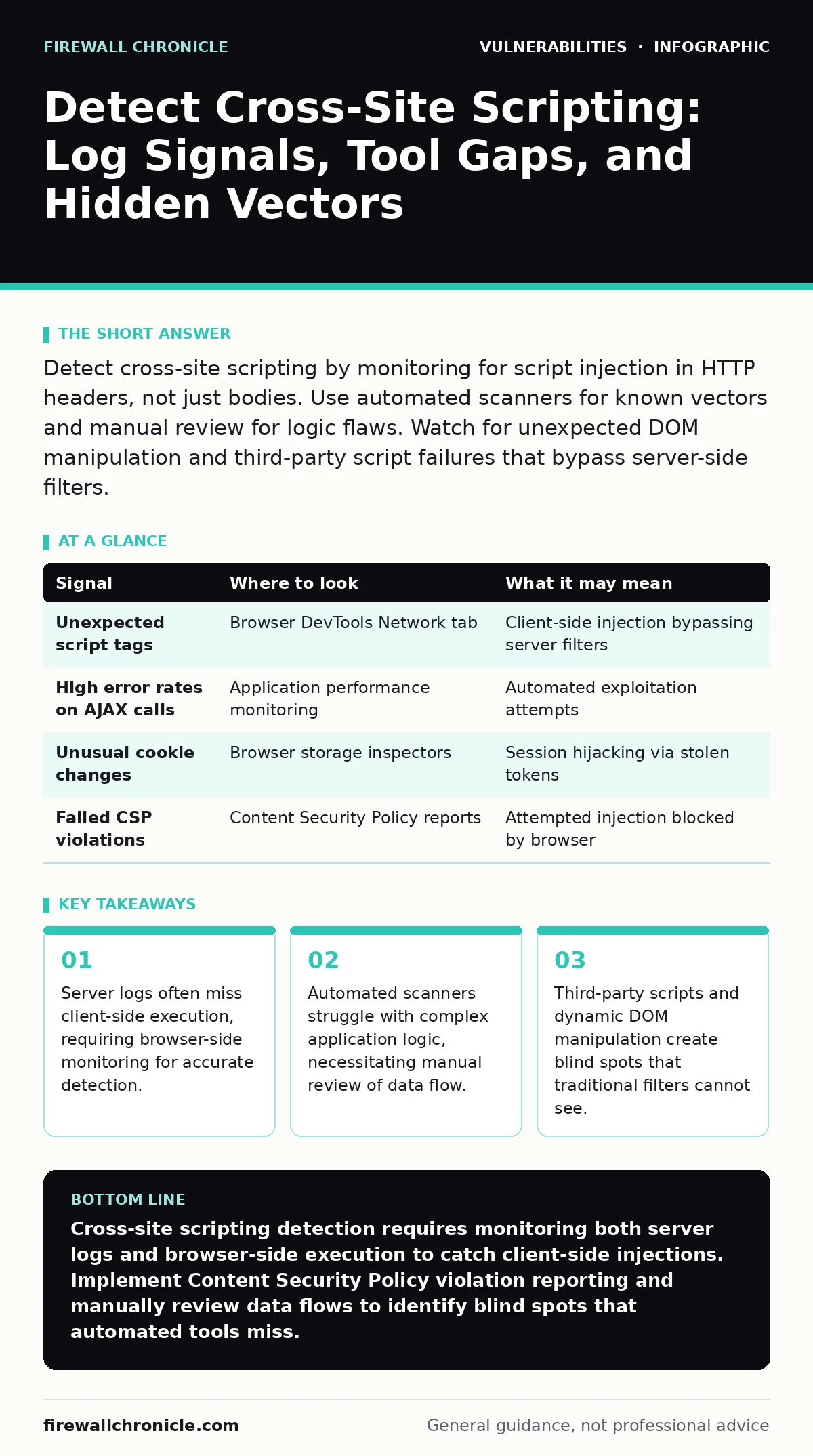
Detect cross-site scripting by monitoring for script injection in HTTP headers, not just bodies. Use automated scanners for known vectors and manual review for logic flaws. Watch for unexpected DOM manipulation and third-party script failures that bypass server-side filters.
The Limits of Server-Side Logging
Server access logs record what the server receives, not what the browser executes. When an attacker injects malicious code, the server may log a standard request if the payload is encoded or split across multiple requests. This means a successful cross-site scripting attack can leave no trace in your standard web server logs. You must look beyond the initial HTTP transaction to detect the actual execution of malicious scripts.
The gap between request and execution is where detection fails. If you rely solely on server logs, you assume that what the server sees is what the user experiences. This assumption is dangerous because modern web applications perform significant logic in the browser. The server delivers the template, but the browser renders the content. An attacker can exploit this rendering process without triggering server-side alerts.
| Signal | Where to look | What it may mean |
|---|---|---|
| Unexpected script tags | Browser DevTools Network tab | Client-side injection bypassing server filters |
| High error rates on AJAX calls | Application performance monitoring | Automated exploitation attempts |
| Unusual cookie changes | Browser storage inspectors | Session hijacking via stolen tokens |
| Failed CSP violations | Content Security Policy reports | Attempted injection blocked by browser |
Browser-Side Evidence Collection
The browser is the final execution environment for web applications. It is also the only place where you can observe the final state of the Document Object Model (DOM). The DOM is the tree-like representation of the web page that the browser uses to render content. If an attacker modifies the DOM after the page loads, server logs will not show this change. You need to monitor the browser environment to catch these post-load modifications.
Content Security Policy (CSP) violation reports are a primary source of this evidence. CSP is a security standard that allows you to specify which sources of content are allowed to load. When a script violates these rules, the browser sends a report to a specified endpoint. These reports provide precise details about the blocked script, including its source and location. Analyzing these reports helps you identify injection points that your server-side filters missed.
Automated Scanning and Its Blind Spots
Automated security scanners are useful for finding known vulnerabilities in standard web forms and URL parameters. They work by injecting common payloads and checking if the server reflects them back. However, these tools operate on a set of predefined patterns. They do not understand the business logic of your application. If an injection point requires specific authentication or a sequence of actions, the scanner will likely miss it.
Fuzz testing can help uncover unexpected input handling issues by sending random or malformed data. This technique stresses the application to see how it reacts to edge cases. While useful for finding crashes or unexpected errors, fuzz testing does not confirm whether an injection is exploitable. It generates noise that requires manual analysis to distinguish from benign errors. You should use automated tools to reduce the search space, not to replace manual verification.
Manual Analysis of Data Flow
Manual analysis requires you to trace data from input to output. You must identify every point where user-supplied data enters the application. Then, you follow that data through every processing step until it reaches the browser. At each step, you check whether the data is properly encoded or sanitized. This process is tedious but necessary because automated tools cannot reason about complex data flows.
One common mistake is assuming that server-side sanitization is sufficient. If an application takes sanitized data and then processes it client-side, the client-side code may reintroduce vulnerabilities. For example, if the server escapes HTML entities, but the browser uses innerHTML to render the data, the escaping may be undone. You must review both server-side and client-side code to ensure the data remains safe throughout its lifecycle.
Third-Party Script Risks
Modern web applications rely heavily on third-party scripts for analytics, advertising, and functionality. These scripts are loaded from external domains and executed in the user's browser. You have limited control over their security. If a third-party service is compromised, attackers can inject malicious code into your application through that channel. This is known as a supply chain attack.
You cannot fully prevent this risk, but you can mitigate it by using strict Content Security Policy directives. You should whitelist only the specific domains you trust. Regularly review the scripts you load and remove any that are no longer necessary. Monitor for changes in the behavior of these scripts, such as unexpected network requests or DOM modifications.
See also: Insecure Direct Object References: How Hidden IDs Leak Data · Formjacking Prevention Checklist for Secure Web Applications
Common Detection Blind Spots
One major blind spot is the assumption that all injection points are in HTML content. Attackers can inject scripts into CSS, JavaScript variables, or even HTTP headers. If your application reflects data in HTTP headers, such as the Referer or User-Agent fields, this data can be used to inject scripts. Most scanners do not check these headers, leaving them vulnerable.
Another blind spot is the use of event handlers. If an application allows users to input data that becomes part of an HTML event handler, such as onclick or onmouseover, attackers can inject JavaScript directly. This bypasses many server-side filters that only check for script tags. You must ensure that all user input is encoded before being inserted into any HTML attribute.
Integrating Detection into Development
Detection should not be a post-deployment activity. It should be integrated into your development workflow. Use static analysis tools to check code for common vulnerability patterns before it is deployed. These tools can identify potentially dangerous functions, such as those that render HTML without encoding. Combine this with dynamic analysis during testing to catch runtime issues.
Regularly update your detection rules based on new threat intelligence. The methods attackers use evolve, and your defenses must evolve with them. Train your development team to recognize the signs of potential injection vulnerabilities. Encourage a culture where security is a shared responsibility, not just a final checklist item. By integrating detection early, you reduce the cost and effort of fixing vulnerabilities later.
Key takeaways
- Server logs often miss client-side execution, requiring browser-side monitoring for accurate detection.
- Automated scanners struggle with complex application logic, necessitating manual review of data flow.
- Third-party scripts and dynamic DOM manipulation create blind spots that traditional filters cannot see.
Cross-site scripting detection requires monitoring both server logs and browser-side execution to catch client-side injections. Implement Content Security Policy violation reporting and manually review data flows to identify blind spots that automated tools miss.
Frequently asked questions
How do I distinguish between a false positive and a real XSS attempt in logs?
Check if the injected payload is reflected in the response and whether it is executed by the browser. Use browser developer tools to verify execution and check Content Security Policy reports for blocked violations.
How often should I update my detection rules for XSS?
Update your rules whenever you release new features or when new attack techniques are identified. Regular reviews ensure your defenses keep pace with evolving threats and application changes.
How this guide was produced: written by the Firewall Chronicle editorial team with AI assistance, checked against the public references listed below, and reviewed when the facts change. See our editorial policy or report an error.