
File Integrity Monitoring: How Hashing Detects Silent Changes
File integrity monitoring detects unauthorized changes by comparing cryptographic hashes, revealing modifications that traditional antivirus software often misses entirely.
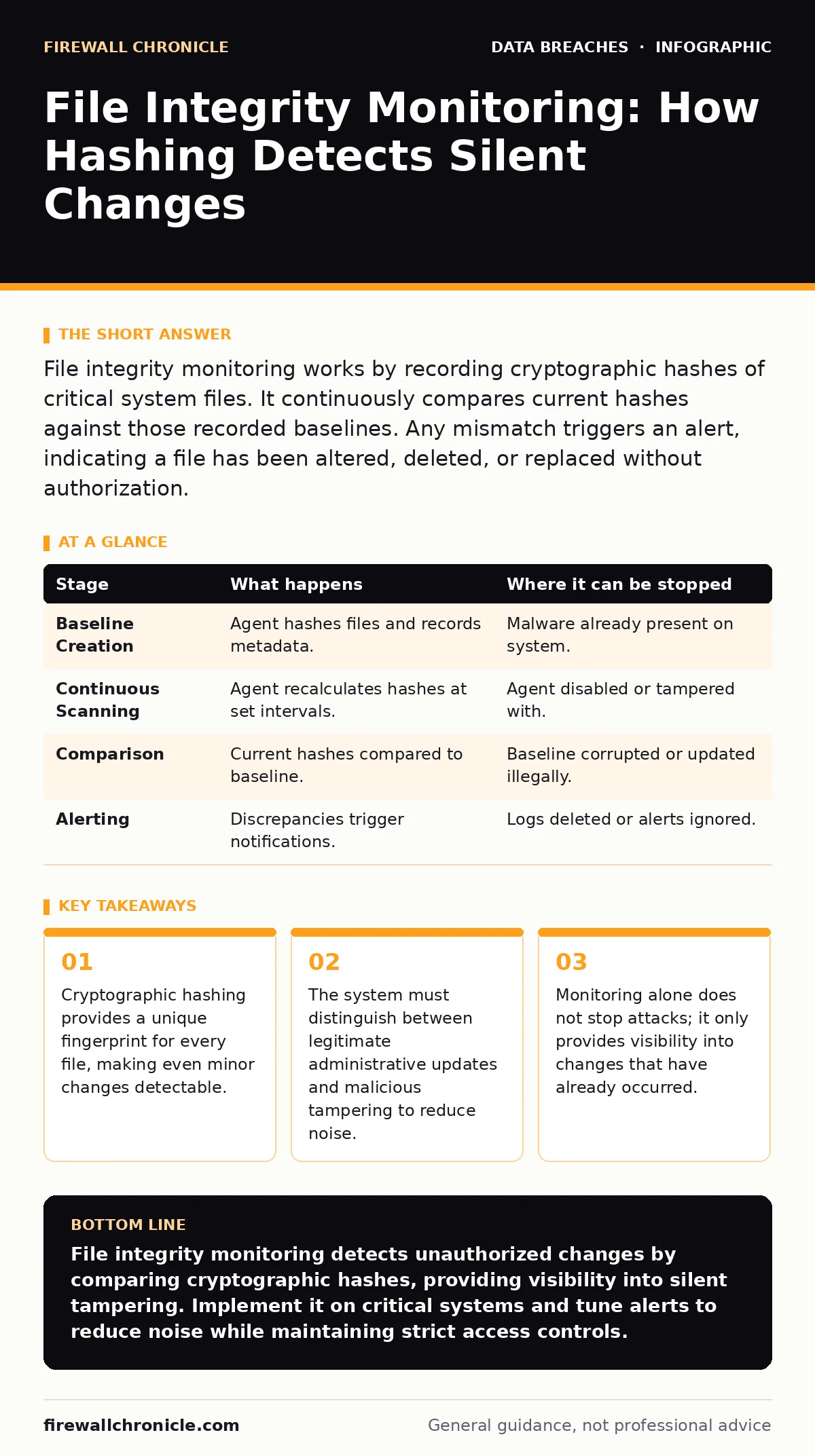
File integrity monitoring works by recording cryptographic hashes of critical system files. It continuously compares current hashes against those recorded baselines. Any mismatch triggers an alert, indicating a file has been altered, deleted, or replaced without authorization.
The Cryptographic Baseline
File integrity monitoring relies on the mathematical properties of cryptographic hash functions. A hash function takes input data of any size and produces a fixed-size string of characters. This output is deterministic, meaning the same input always produces the same hash. However, the function is also sensitive; changing a single bit in the input file results in a completely different hash output. This property ensures that any modification to a file, whether accidental or malicious, changes its digital fingerprint.
You establish a baseline by scanning your critical files and recording their current hash values. This baseline represents the known good state of your system. The monitoring agent stores this baseline in a secure, read-only location. It then enters a continuous cycle of comparison, checking current file states against this stored record.
The choice of hash algorithm matters for both security and performance. Older algorithms may be faster but are more susceptible to collision attacks, where two different files produce the same hash. Modern implementations use stronger algorithms that make collisions computationally infeasible. You must ensure the baseline itself is protected. If an attacker modifies the baseline to match their malicious files, the monitoring system will never detect the breach.
Stages of Detection
The detection process follows a strict sequence. Each stage introduces potential points of failure. Understanding these stages helps you design a monitoring strategy that covers edge cases.
Stage 1: Baseline Creation
The agent scans specified directories and calculates hashes for every file. It records these values along with metadata such as file permissions and ownership. This stage requires the system to be in a clean state. If you create a baseline while malware is already present, the malware becomes part of the "good" state.
| Stage | What happens | Where it can be stopped |
|---|---|---|
| Baseline Creation | Agent hashes files and records metadata. | Malware already present on system. |
| Continuous Scanning | Agent recalculates hashes at set intervals. | Agent disabled or tampered with. |
| Comparison | Current hashes compared to baseline. | Baseline corrupted or updated illegally. |
| Alerting | Discrepancies trigger notifications. | Logs deleted or alerts ignored. |
Stage 2: Continuous Scanning
After the baseline is set, the agent periodically recalculates hashes for monitored files. This scanning happens in the background. The frequency depends on your risk tolerance and system load. High-frequency scanning catches changes quickly but consumes more CPU resources. Low-frequency scanning reduces load but increases the window of exposure during an attack.
The agent must handle files that are in use. If a file is locked by another process, the agent may skip it or fail to read it. This can create blind spots. You need to configure the agent to handle locked files gracefully, either by queuing them for later scanning or by using volume shadow copies where available.
Stage 3: Comparison and Alerting
When a hash mismatch occurs, the agent compares the current state with the baseline. It determines if the change was authorized. Legitimate updates, such as software patches, change file hashes. If the system flags every patch as an alert, you will ignore real threats due to alert fatigue.
The agent checks against a list of whitelisted processes. If a known installer modifies a file, the system may suppress the alert. If an unknown process modifies a file, the system generates an alert. This step requires careful tuning. Overly broad whitelists reduce security. Overly strict whitelists generate excessive noise.
Limits of Visibility
File integrity monitoring has inherent limitations. It cannot detect changes to files that are not monitored. You must explicitly define which directories and files to watch. Watching everything is impractical due to performance impact and storage requirements. Unmonitored files remain invisible to the system.
The system also cannot distinguish between the intent of a change. It sees that a configuration file was altered, but it does not know if the administrator made the change or an attacker. Context is missing. You must correlate integrity alerts with other logs, such as access logs or process creation events, to determine the cause.
Integration with Access Controls
Integrity monitoring works best when combined with strict access controls. Role-based access control limits who can modify critical files. If only a few users can write to a directory, an integrity alert immediately narrows the suspect list. Without strict permissions, an integrity alert only tells you that something changed, not who did it.
Imagine a scenario where a junior developer has write access to production configuration files. If an attacker compromises this account, they can modify files legitimately. The integrity monitor will see a change, but the access logs will show a valid user. This makes attribution difficult. You must enforce least privilege to ensure that integrity alerts are meaningful.
Handling False Positives
False positives occur when legitimate changes trigger alerts. Software updates, automated scripts, and user modifications all change file hashes. If you do not tune your system, you will drown in noise. You must establish a process for validating changes. When an alert fires, you should check recent deployment logs.
Some monitoring tools allow you to update the baseline automatically for known changes. This reduces manual work but increases risk. If an attacker gains access to the update mechanism, they can hide their changes by updating the baseline. You must secure the baseline update process with strong authentication and logging.
See also: Remote Access Tool Abuse: How Attackers Bypass Security Controls · Incident Communication Plans: 9 FAQs on Strategy and Execution
Beyond File Integrity
File integrity monitoring is one layer of defense. It does not replace backups or encryption. If an attacker encrypts your files with ransomware, the integrity monitor will detect the change, but it will not restore the data. You need a separate 3-2-1 backup rule strategy to ensure you can recover from data loss.
Similarly, integrity monitoring does not protect data in transit. It only checks files on disk. If an attacker intercepts data as it moves to a server, the integrity monitor will not see it. You must use email encryption and other transport security measures to protect data in motion.
Integrity monitoring also does not prevent employee data breaches. An authorized employee can copy files without modifying them. The hash will remain the same. You need data loss prevention tools to monitor data exfiltration. Integrity monitoring focuses on modification, not movement.
Operational Challenges
Running file integrity monitoring requires ongoing effort. You must maintain the whitelist of authorized changes. You must tune alert thresholds. You must investigate every alert to determine if it is a threat. This operational burden is often underestimated.
If you do not have the resources to investigate alerts, the system becomes a liability. It generates noise without providing value. You must prioritize monitoring for the most critical systems. Do not try to monitor every server in your environment. Focus on systems that handle sensitive data or provide critical services.
The Value of Detection
File integrity monitoring provides visibility into changes that other tools miss. It is not a prevention tool. It is a detection tool. It tells you when something has gone wrong. It does not stop the attacker. You must have incident response procedures in place to act on the alerts.
Without integrity monitoring, you may not know that your system has been compromised until much later. Attackers often modify system files to maintain persistence. These changes are silent. Integrity monitoring makes them visible. It shortens the time to detection, which limits the damage an attacker can do.
You must integrate integrity monitoring into your broader security strategy. Combine it with access controls, backups, and encryption. Use it to validate the security of your systems. It is a critical component of a layered defense, but it is not a silver bullet.
Key takeaways
- Cryptographic hashing provides a unique fingerprint for every file, making even minor changes detectable.
- The system must distinguish between legitimate administrative updates and malicious tampering to reduce noise.
- Monitoring alone does not stop attacks; it only provides visibility into changes that have already occurred.
File integrity monitoring detects unauthorized changes by comparing cryptographic hashes, providing visibility into silent tampering. Implement it on critical systems and tune alerts to reduce noise while maintaining strict access controls.
Frequently asked questions
Does file integrity monitoring protect against ransomware?
No, it only detects file changes after they occur. It does not prevent encryption or deletion. You need backups and prevention tools to stop ransomware.
Can an attacker disable file integrity monitoring?
Yes, if they have sufficient privileges. You must protect the monitoring agent with strict permissions and monitor the agent itself for changes.
How often should the system scan files?
Frequency depends on your risk tolerance. Critical systems should scan frequently, while less critical systems can scan less often to reduce performance impact.
What is the difference between file integrity monitoring and antivirus?
Antivirus scans for known malware signatures. File integrity monitoring detects any change to files, including unauthorized modifications that do not match known malware patterns.
How this guide was produced: written by the Firewall Chronicle editorial team with AI assistance, checked against the public references listed below, and reviewed when the facts change. See our editorial policy or report an error.