Email Encryption Explained: Answers to Your Technical Questions
Email encryption protects the message content in transit and at rest, but it leaves the metadata visible to network observers and service providers.
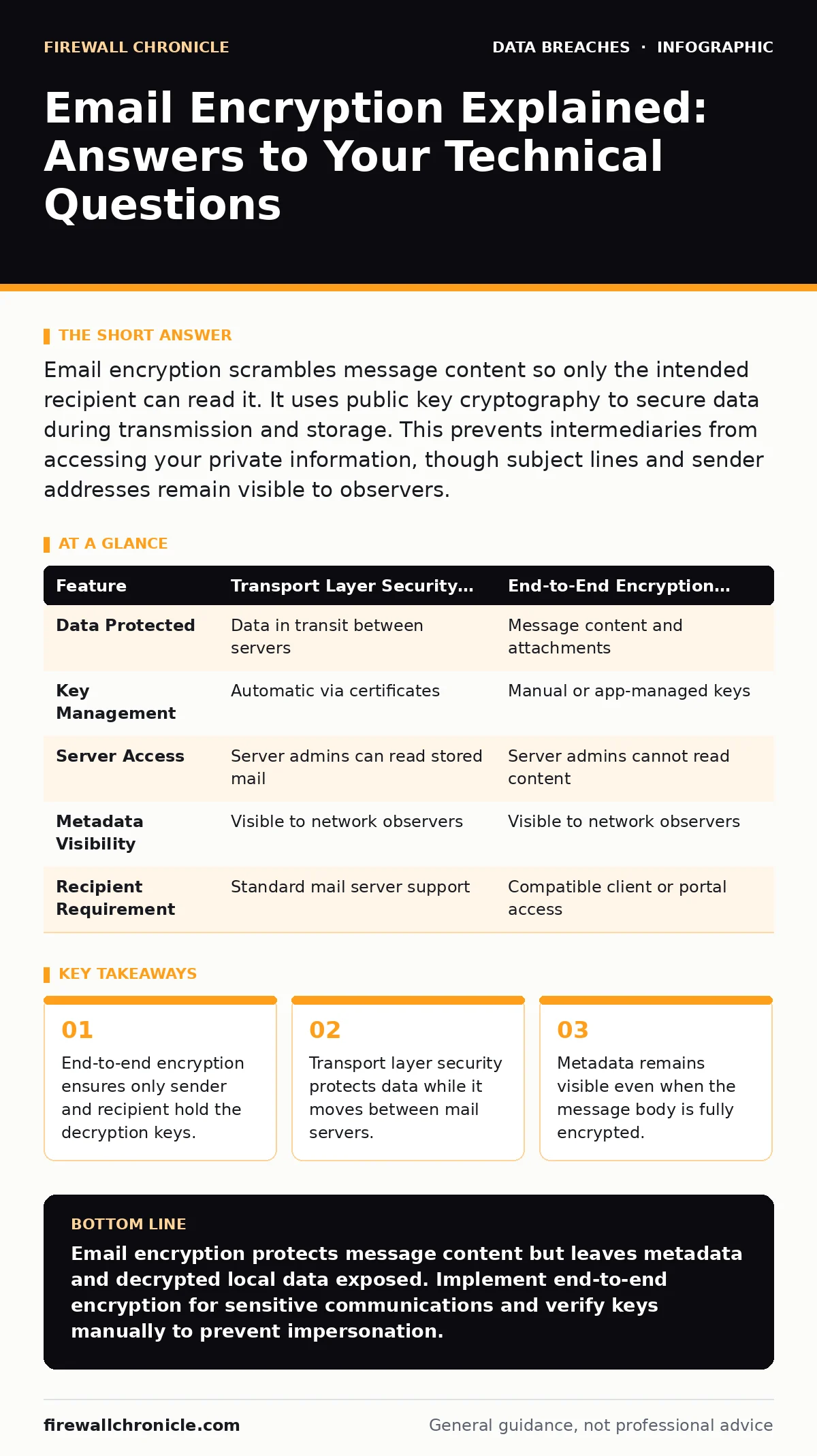
Email encryption scrambles message content so only the intended recipient can read it. It uses public key cryptography to secure data during transmission and storage. This prevents intermediaries from accessing your private information, though subject lines and sender addresses remain visible to observers.
Does email encryption protect my subject line and recipient address?
No, standard email encryption only secures the body of the message. The envelope information, including the sender, recipient, subject line, and timestamps, travels in cleartext. This metadata allows network observers to map your communication patterns. Even with strong encryption, adversaries can infer relationships and priorities based on who emails whom and how often.
What is the difference between TLS and end-to-end encryption?
TLS (Transport Layer Security) encrypts the connection between two mail servers, while end-to-end encryption secures the message content itself. TLS acts like a sealed envelope that protects the letter during transit between post offices. End-to-end encryption is like writing the letter in a secret code that only the recipient can decode. TLS protects against interception during transit, but server administrators can still read the stored message. End-to-end encryption prevents server administrators from reading the content.
How does public key cryptography work for email?
You generate a pair of mathematically linked keys: one public and one private. You share your public key openly, allowing anyone to encrypt messages intended for you. Only your private key, which you keep secret, can decrypt those messages. This asymmetry ensures that even if the encrypted message is intercepted, the content remains unreadable without your private key. The security relies on the computational difficulty of deriving the private key from the public key.
Why do I need to exchange public keys manually?
Automatic key exchange systems often rely on central authorities that can be compromised or coerced. Manual exchange, such as sharing a PGP (Pretty Good Privacy) key fingerprint, allows you to verify the key belongs to the intended person. This verification step prevents man-in-the-middle attacks where an adversary substitutes their own key. The friction of manual exchange is the price you pay for trust without a central intermediary.
What happens if my recipient does not support encryption?
If the recipient’s mail client cannot decrypt the message, you have two primary options. You can send the message unencrypted, risking exposure of the content. Alternatively, you can send a link to a secure portal where the recipient can view the message after authentication. The portal method protects the content at rest and in transit but introduces a new attack surface through the web interface. It also creates a dependency on the portal’s availability and security posture.
| Feature | Transport Layer Security (TLS) | End-to-End Encryption (E2EE) |
|---|---|---|
| Data Protected | Data in transit between servers | Message content and attachments |
| Key Management | Automatic via certificates | Manual or app-managed keys |
| Server Access | Server admins can read stored mail | Server admins cannot read content |
| Metadata Visibility | Visible to network observers | Visible to network observers |
| Recipient Requirement | Standard mail server support | Compatible client or portal access |
See also: Encrypting Data at Rest for Small Teams: Practical Steps · Data Encryption in Transit: Protecting Moving Information
Can I encrypt attachments without encrypting the body?
You can encrypt attachments separately, but this creates a disjointed user experience. The recipient must decrypt the attachment and then read the unencrypted body, or vice versa. This fragmentation increases the risk of accidental leakage if the user forwards only the unencrypted part. It is generally better to encrypt the entire message container, including headers and attachments, to maintain a single security boundary.
How does encryption impact email searchability and indexing?
Encrypted content cannot be indexed by standard email search tools because the engine cannot read the plaintext. You lose the ability to quickly search across years of correspondence for specific keywords. This operational friction is a hidden cost of strong security. You must decide if the privacy benefit outweighs the loss of convenient data retrieval. Some systems allow local decryption for search, but this exposes the keys on your device.
What are the risks of automated key rotation?
Automated key rotation improves security by limiting the window of exposure if a key is compromised. However, it complicates the management of historical messages. If you rotate keys frequently, you may lose the ability to decrypt older emails unless you archive the old keys securely. This creates a tension between forward secrecy and long-term data accessibility. You must implement a secure archive for retired keys to maintain access to past communications.
How does email encryption relate to other data protection strategies?
Email encryption protects data in transit and at rest on mail servers, but it does not protect data once decrypted on your device. You must combine it with full-disk encryption on your workstation to protect the private keys and decrypted messages. This layered approach ensures that a compromised email server does not lead to total data loss. It also complements the 3-2-1 backup rule by ensuring your backups contain encrypted data that is safe from ransomware.
What is the role of key revocation in email security?
If you suspect your private key is compromised, you must issue a revocation certificate. This certificate informs others that your current public key should no longer be trusted. However, revocation relies on recipients checking for updates, which many do not do automatically. You must notify your contacts through alternative channels to ensure they stop using the compromised key. This manual notification step is often overlooked, leaving a window of vulnerability.
How do I handle encryption for large groups?
Encrypting messages to large distribution lists is complex because each recipient needs a copy of the message encrypted with their public key. This increases the message size and processing time significantly. It also exposes the list of recipients to anyone who can view the encrypted headers. For large groups, consider using a secure collaboration platform instead of email. These platforms manage access control more efficiently than individual key exchanges.
Key takeaways
- End-to-end encryption ensures only sender and recipient hold the decryption keys.
- Transport layer security protects data while it moves between mail servers.
- Metadata remains visible even when the message body is fully encrypted.
Email encryption protects message content but leaves metadata and decrypted local data exposed. Implement end-to-end encryption for sensitive communications and verify keys manually to prevent impersonation.
Frequently asked questions
Does email encryption prevent phishing attacks?
No, encryption secures the data but does not verify the sender's identity or intent. You can still receive a perfectly encrypted message from a malicious actor who has obtained the recipient's public key.
Can I use email encryption for compliance with regulations?
Encryption helps meet requirements for protecting sensitive data in transit and at rest. However, compliance also depends on access controls, audit logs, and retention policies, not just encryption.
What if I forget my private key password?
There is no backdoor to recover the password. You will lose access to all messages encrypted with that key pair. This underscores the need for secure, redundant storage of your key backups.
Is S/MIME better than PGP for email encryption?
S/MIME is easier to manage in corporate environments using centralized certificates. PGP offers more control and does not rely on central
How this guide was produced: written by the Firewall Chronicle editorial team with AI assistance, checked against the public references listed below, and reviewed when the facts change. See our editorial policy or report an error.