
How Out-of-Band Security Patches Work and When to Apply Them
Out-of-band patches bypass standard release cycles to fix critical flaws before the next scheduled update window closes.
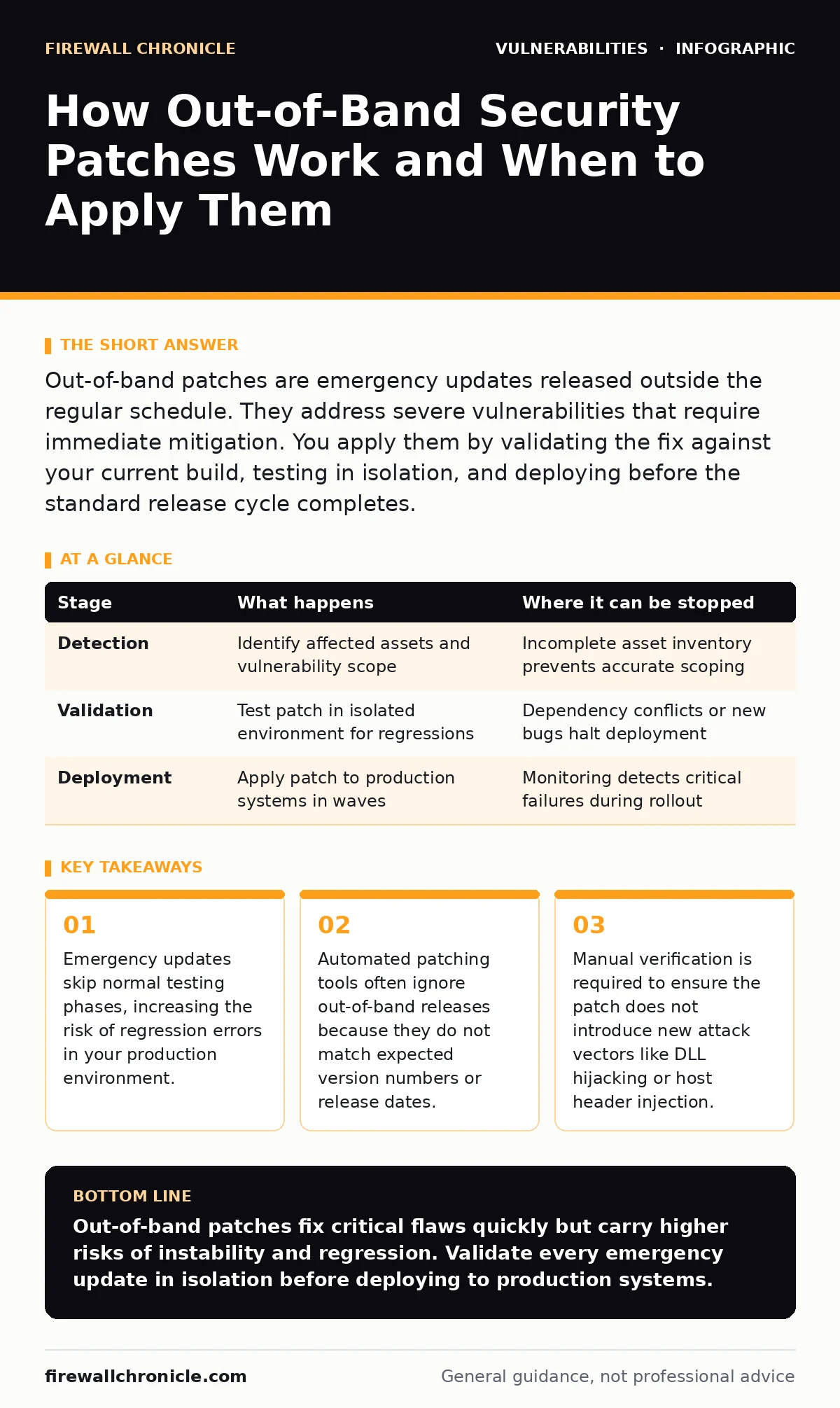
Out-of-band patches are emergency updates released outside the regular schedule. They address severe vulnerabilities that require immediate mitigation. You apply them by validating the fix against your current build, testing in isolation, and deploying before the standard release cycle completes.
The Mechanics of Emergency Updates
Out-of-band security patches operate outside the standard software release cadence. Regular updates follow a predictable schedule, allowing teams to plan testing and deployment windows. Emergency updates break this rhythm. They arrive when a vulnerability is discovered that poses an immediate threat. The development team prioritizes the fix over feature work or quality assurance cycles. This speed comes at a cost. The patch may not have undergone the same rigorous regression testing as a scheduled release. You must treat these updates with higher scrutiny than routine maintenance.
The process begins with vulnerability discovery. A researcher or internal team identifies a flaw. The severity determines the response path. If the flaw allows remote code execution or data exfiltration, it triggers an out-of-band release. The fix is developed, reviewed, and packaged. It is then distributed through standard channels but marked as urgent. Your systems must be configured to recognize and accept these irregular updates.
Stage 1: Detection and Triage
The first stage involves identifying the vulnerability and assessing its impact. You need to know if your systems are affected. This requires a current asset inventory for patching. Without an accurate list of software versions and dependencies, you cannot determine exposure. The triage team evaluates the technical details of the flaw. They determine if the vulnerability is exploitable in your specific configuration. Some vulnerabilities require specific conditions to trigger. If your environment lacks those conditions, the urgency decreases.
This stage also involves checking for related issues. A single vulnerability might exist alongside cross-site request forgery (CSRF) flaws or insecure direct object references (IDOR). These secondary issues may not be critical on their own but compound the risk. The triage report should clearly state the attack vector and the required mitigation. You use this information to decide whether to apply the patch immediately or implement a temporary workaround.
Stage 2: Validation and Isolation
Before applying the patch to production, you must validate it. This step is often rushed during emergencies, leading to failures. You should create an isolated test environment that mirrors your production setup. Apply the patch to this environment first. Run your standard test suite to check for regressions. Look for application crashes, performance drops, or new security gaps.
Pay close attention to dependency conflicts. The patch might require a library version that your application does not support. It might also introduce a race condition vulnerability if the fix alters timing-sensitive code paths. You must verify that the patch does not break existing functionality. If the test environment shows issues, you must report them to the vendor. Do not deploy a failing patch to production, even if the original vulnerability is severe.
| Stage | What happens | Where it can be stopped |
|---|---|---|
| Detection | Identify affected assets and vulnerability scope | Incomplete asset inventory prevents accurate scoping |
| Validation | Test patch in isolated environment for regressions | Dependency conflicts or new bugs halt deployment |
| Deployment | Apply patch to production systems in waves | Monitoring detects critical failures during rollout |
Stage 3: Controlled Deployment
Deployment of out-of-band patches requires a controlled approach. You cannot simply push the update to all systems at once. Use a phased rollout. Start with a small subset of non-critical systems. Monitor these systems closely for errors or performance issues. If the patch behaves as expected, expand the rollout to a larger group. Finally, deploy to critical production systems.
This method limits the blast radius if the patch fails. Automated deployment tools can speed up the process, but they must be configured to handle irregular version numbers. Some tools ignore updates that do not match expected naming conventions. You must update your automation scripts to recognize the emergency release. Manual intervention may be necessary for legacy systems that do not support automated patching.
Stage 4: Verification and Monitoring
After deployment, you must verify that the patch is active and effective. Check the software versions on all systems. Ensure that the vulnerable code has been replaced. Monitor application logs for errors or unexpected behavior. Look for signs of exploitation attempts that might indicate the patch did not fully mitigate the vulnerability.
Continued monitoring is vital. Attackers may discover new ways to exploit the vulnerability or find weaknesses in the patch itself. You should also check for any follow-up updates from the vendor. Sometimes, the initial out-of-band patch contains a bug that requires a subsequent fix. Keep your systems updated until the vendor confirms the issue is fully resolved.
Reading Patch Notes Effectively
Patch notes for out-of-band releases can be sparse. They often focus on the vulnerability fix and omit other changes. You must read between the lines. Look for mentions of dependencies, configuration changes, or known issues. If the notes are unclear, consult the vendor’s security advisory. This document provides more detailed technical information about the vulnerability and the fix.
Compare the patch notes with your current configuration. Identify any changes that might affect your environment. For example, a patch might disable a feature that your application relies on. It might also change default settings that impact security. You must adjust your configuration accordingly. Ignoring these details can lead to unexpected behavior or new security gaps.
Managing Long-Term Risks
Out-of-band patches are a reactive measure. They address immediate threats but do not prevent future vulnerabilities. You must integrate these lessons into your development process. Use secret scanning to detect hardcoded credentials before they become exploitable. Implement secure coding practices to reduce the likelihood of high-severity flaws.
Regularly review your patch management strategy. Ensure that your systems can handle emergency updates efficiently. Test your deployment processes periodically. Simulate an out-of-band patch scenario to identify bottlenecks. By preparing for these events, you reduce the time and effort required to respond. This proactive approach minimizes the risk of downtime and security breaches.
The Hidden Cost of Speed
The speed of out-of-band patches introduces hidden costs. Development teams spend significant time on emergency fixes, delaying feature work and technical debt reduction. This disruption affects team morale and productivity. Additionally, the lack of thorough testing increases the risk of regressions. These regressions can cause outages or new security vulnerabilities.
You must balance the need for speed with the need for stability. Not every vulnerability requires an out-of-band patch. Some can be mitigated through configuration changes or temporary workarounds. Evaluate each situation carefully. Avoid treating every security advisory as an emergency. This disciplined approach helps maintain a sustainable development pace while keeping your systems secure.
Key takeaways
- Emergency updates skip normal testing phases, increasing the risk of regression errors in your production environment.
- Automated patching tools often ignore out-of-band releases because they do not match expected version numbers or release dates.
- Manual verification is required to ensure the patch does not introduce new attack vectors like DLL hijacking or host header injection.
Out-of-band patches fix critical flaws quickly but carry higher risks of instability and regression. Validate every emergency update in isolation before deploying to production systems.
Frequently asked questions
How do I know if a patch is out-of-band?
Out-of-band patches are released outside the regular schedule and are marked as urgent or critical. They often have different version numbers or release notes.
Can automated tools handle out-of-band patches?
Automated tools can handle them if configured to recognize irregular version numbers and release dates. You must update your automation scripts to include these exceptions.
What if the patch breaks my application?
If the patch causes issues, roll it back immediately. Report the problem to the vendor and apply a temporary workaround if available. Wait for a stable fix.
Do I need to reboot after applying an out-of-band patch?
Some patches require a reboot to take effect, especially those involving kernel or system libraries. Check the vendor’s documentation for specific requirements.
How this guide was produced: written by the Firewall Chronicle editorial team with AI assistance, checked against the public references listed below, and reviewed when the facts change. See our editorial policy or report an error.