Secret Scanning Best Practices for Secure Development Pipelines
Secret scanning fails when it treats all tokens equally, missing the context needed to distinguish active credentials from harmless test data.
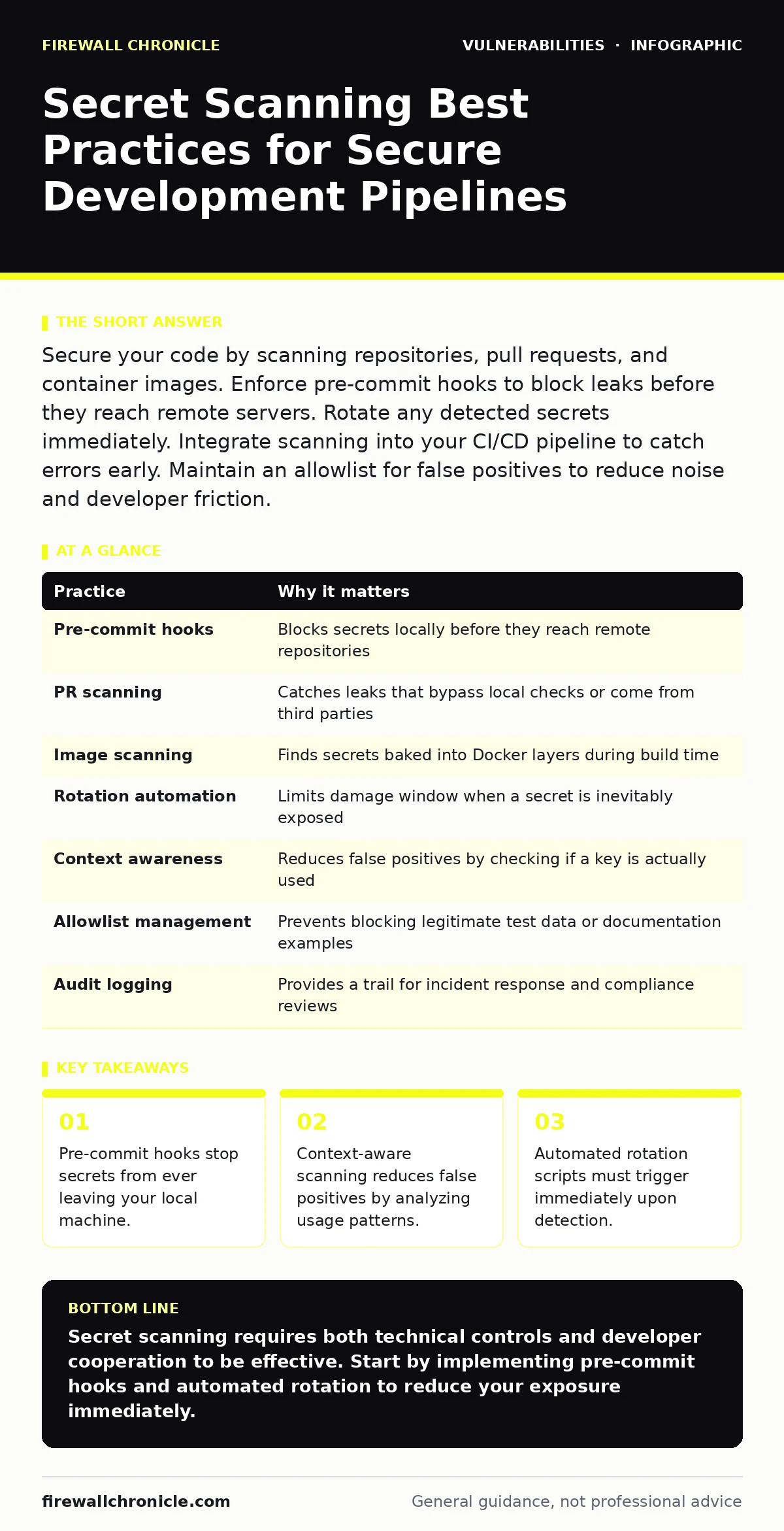
Secure your code by scanning repositories, pull requests, and container images. Enforce pre-commit hooks to block leaks before they reach remote servers. Rotate any detected secrets immediately. Integrate scanning into your CI/CD pipeline to catch errors early. Maintain an allowlist for false positives to reduce noise and developer friction.
Defining the Scope of Secret Scanning
Secret scanning detects sensitive data like API keys, private keys, and passwords within source code. These artifacts often end up in repositories through developer error or copy-paste mistakes. The goal is to identify these strings before they become public or accessible to unauthorized users. You must define what constitutes a secret in your environment. A generic scanner might flag a random string, but a configured tool understands your specific infrastructure. This distinction prevents alert fatigue and ensures your team focuses on real risks.
| Practice | Why it matters |
|---|---|
| Pre-commit hooks | Blocks secrets locally before they reach remote repositories |
| PR scanning | Catches leaks that bypass local checks or come from third parties |
| Image scanning | Finds secrets baked into Docker layers during build time |
| Rotation automation | Limits damage window when a secret is inevitably exposed |
| Context awareness | Reduces false positives by checking if a key is actually used |
| Allowlist management | Prevents blocking legitimate test data or documentation examples |
| Audit logging | Provides a trail for incident response and compliance reviews |
1. Enforce Pre-commit Hooks
Pre-commit hooks run checks on your code before it is added to the repository. This is the first line of defense against accidental leaks. When a developer attempts to commit a file containing a secret, the hook interrupts the process. It displays the location of the leak and prevents the commit from succeeding. This saves time by fixing issues locally rather than dealing with them in a shared branch. You should configure these hooks to run automatically on every commit attempt.
Tip: Use a lightweight scanning tool for hooks to avoid slowing down the developer workflow. Heavy analysis can frustrate users and lead them to disable the hook.
2. Scan Pull Requests and Merge Requests
Local hooks can be bypassed or disabled. Scanning pull requests adds a second layer of protection. This check runs on the server side when code is proposed for merging. It scans the entire diff to ensure no new secrets are introduced. This is critical for open-source projects or teams with many contributors. You cannot trust every local environment to have the same security controls. Server-side scanning ensures a consistent standard across all contributions.
Tip: Configure the scanner to fail the build if a high-confidence match is found. This forces the developer to address the issue before merging.
3. Implement Context-Aware Detection
Not all strings that look like secrets are actual secrets. Some are test data, documentation examples, or deprecated keys. Context-aware scanning analyzes how a string is used in the code. It checks if the string is passed to an authentication function or stored in a configuration file. This reduces false positives significantly. A scanner that only looks for patterns will flag every example in your README file. Context allows the tool to distinguish between active credentials and harmless text.
Tip: Define rules that require a secret to be assigned to a variable or passed as an argument. This ignores strings that are merely commented out or in documentation.
4. Automate Secret Rotation
Detecting a secret is only half the battle. You must neutralize the risk by changing the credential. Manual rotation is slow and error-prone. Automated rotation scripts can trigger immediately when a scanner detects a leak. These scripts generate a new key, update the configuration, and invalidate the old one. This limits the window of opportunity for an attacker. If a secret is exposed in a public repository, minutes matter. Automation ensures a rapid response without relying on human intervention.
Tip: Integrate your scanner with your identity provider or cloud provider APIs. This allows the scanner to trigger rotation commands directly.
5. Scan Container Images
Secrets often end up in container images during the build process. Developers may hardcode credentials into Dockerfiles or environment variables. These secrets persist in the image layers even if removed in later steps. Scanning container images ensures that no secrets are baked into the final artifact. This is crucial for cloud-native applications. You must treat container images as code and subject them to the same scrutiny.
Tip: Use multi-stage builds to keep secrets out of the final image. Scan each stage to ensure no sensitive data leaks through the build process.
6. Maintain a Curated Allowlist
False positives waste time and erode trust in security tools. An allowlist lets you specify strings or patterns that are safe to ignore. This might include test data, public keys, or documentation examples. You must review the allowlist regularly to ensure it does not become a loophole. An overly broad allowlist can hide real secrets. Balance convenience with security by requiring justification for each entry.
Tip: Require a code owner to approve each allowlist entry. This ensures accountability and prevents developers from bypassing checks arbitrarily.
7. Audit and Log All Scans
Logging provides a record of all scanning activities. This is essential for incident response and compliance. You need to know when a scan ran, what it found, and how it was handled. Audit logs help you identify trends and improve your processes. They also provide evidence that you are taking reasonable steps to protect your data. Without logs, you are flying blind. You cannot prove you did your due diligence.
Tip: Store logs in a secure, immutable storage system. This prevents tampering and ensures long-term retention for audits.
Integrating with Development Workflows
Secret scanning must fit into your existing development workflow. If it adds friction, developers will find ways around it. Integrate scanners into your continuous integration and continuous deployment pipeline. This ensures that scanning happens automatically on every change. You should also provide clear feedback to developers. Tell them exactly what was found and how to fix it. Education is key to long-term success.
Handling False Positives and Negatives
No scanner is perfect. False positives occur when the tool flags safe data as a secret. False negatives occur when it misses an actual secret. You must have a process for reporting and addressing both. Encourage developers to report false positives so you can tune the tool. Regularly review missed secrets to improve detection rules. This iterative process keeps your scanning effective.
Related Security Considerations
Secret scanning complements other security practices. For instance, understanding CVSS score helps you prioritize which vulnerabilities to fix first. A leaked secret might have a high severity if it grants administrative access. You should also consider asset inventory for patching to ensure all systems are accounted for. Secrets in unmanaged assets are harder to track. Additionally, parameterized queries prevent SQL injection, which can be exacerbated by leaked database credentials.
Conclusion of Practices
Implementing these seven practices creates a robust defense against secret leaks. You start with local hooks, add server-side checks, and automate response. Context awareness and allowlists reduce noise. Container scanning and audit logging ensure completeness. This layered approach minimizes risk and fits into modern development workflows. You must treat secret scanning as an ongoing process, not a one-time setup.
Key takeaways
- Pre-commit hooks stop secrets from ever leaving your local machine.
- Context-aware scanning reduces false positives by analyzing usage patterns.
- Automated rotation scripts must trigger immediately upon detection.
Secret scanning requires both technical controls and developer cooperation to be effective. Start by implementing pre-commit hooks and automated rotation to reduce your exposure immediately.
Frequently asked questions
How do I handle secrets in encrypted files?
You must scan before encryption and ensure the encryption keys themselves are not stored in the repository.
Can secret scanning detect hardcoded passwords?
Yes, if the scanner is configured to recognize common password patterns and contexts.
What is the difference between static analysis and secret scanning?
Static analysis checks for code logic errors, while secret scanning specifically looks
How this guide was produced: written by the Firewall Chronicle editorial team with AI assistance, checked against the public references listed below, and reviewed when the facts change. See our editorial policy or report an error.