Log Management Mistakes That Blind Your Security Monitoring
Poor log hygiene creates false confidence, allowing attackers to operate unseen while your alerting system generates noise that teams ignore.
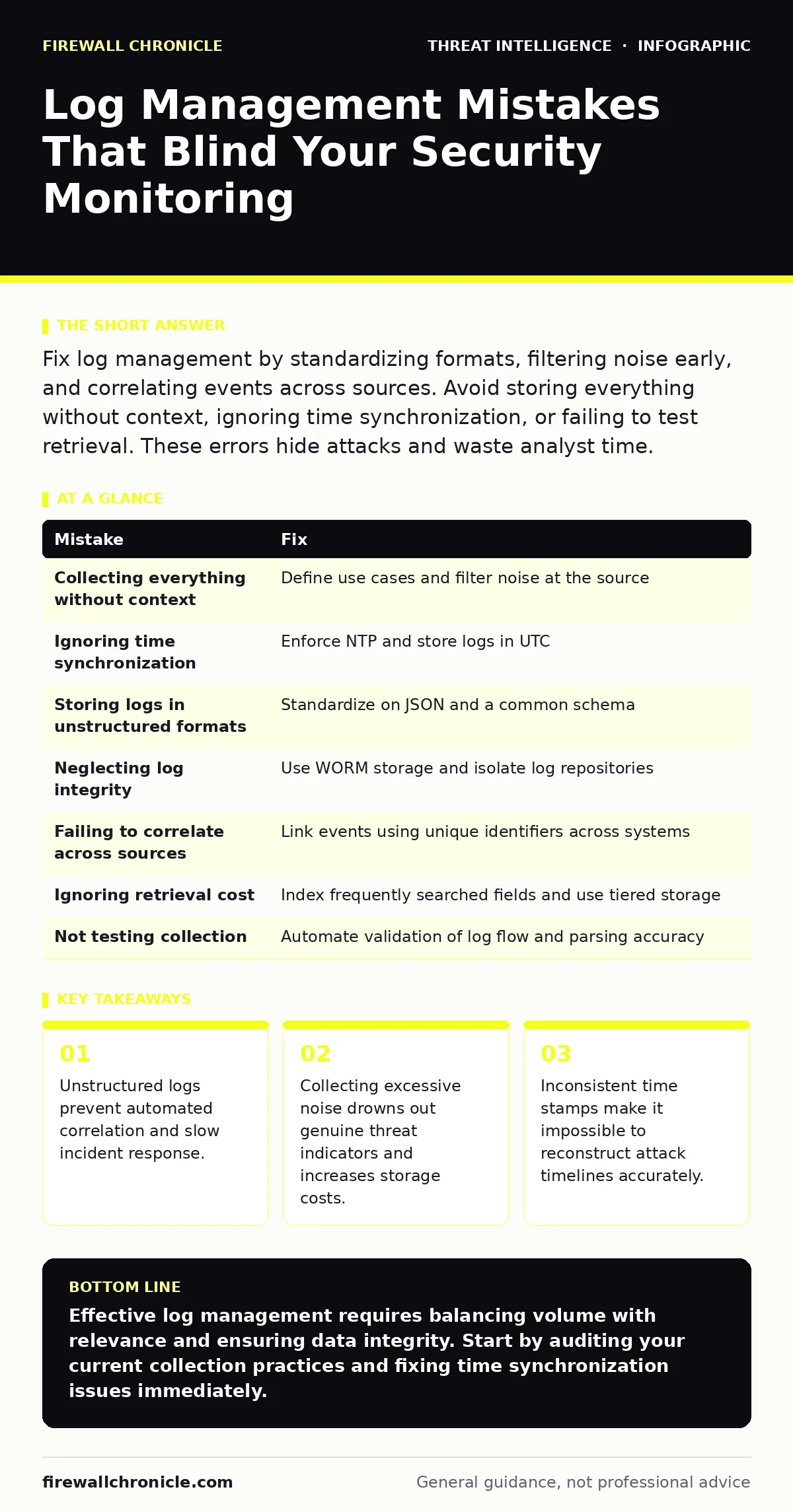
Fix log management by standardizing formats, filtering noise early, and correlating events across sources. Avoid storing everything without context, ignoring time synchronization, or failing to test retrieval. These errors hide attacks and waste analyst time.
Mistake 1: Collecting Everything Without Context
Developers often assume that more data equals better security. You configure your systems to ship every possible log entry to your central repository. This includes debug traces, routine health checks, and verbose application outputs. The volume grows exponentially, but the signal-to-noise ratio collapses.
Why it hurts:
Analysts spend most of their time filtering irrelevant data rather than investigating threats. When a genuine security event occurs, it is buried under millions of benign entries. You also pay for storage and processing power you do not need. This waste distracts from the actual goal of detecting malicious activity.
The fix:
Define specific use cases before collecting any logs. Identify which events indicate a change in state or a security boundary crossing. Filter out routine noise at the source or during ingestion. Keep only logs that help answer specific questions about system integrity or user behavior. This approach reduces volume while increasing the relevance of what remains.
Mistake 2: Ignoring Time Synchronization
Log entries from different servers must share a common timeline. If your web server, database, and authentication service use different clocks, correlating events becomes guesswork. Even small drifts between systems can distort the sequence of an attack.
Why it hurts:
You cannot reconstruct an accurate timeline of an incident. An attacker might exploit a service before they log in, but if the clocks are misaligned, the login appears to happen first. This confusion leads to incorrect root cause analysis. It also makes it difficult to identify lateral movement across your environment.
The fix:
Enforce strict time synchronization using Network Time Protocol across all systems. Monitor for clock drift and alert when deviations exceed a small threshold. Ensure that log ingestion pipelines adjust for time zone differences and store everything in Coordinated Universal Time. Consistent timing is the foundation of accurate forensic analysis.
Mistake 3: Storing Logs in Unstructured Formats
Many systems output logs as raw text with varying structures. One application uses JSON, another uses syslog format, and a third uses custom delimited fields. Parsing these inconsistently formatted entries requires complex, fragile regular expressions.
Why it hurts:
Automated analysis tools struggle to normalize the data. You lose the ability to search for specific fields across your entire environment. Building detection rules becomes a manual, error-prone process. When an application updates its log format, your parsing rules break, and you lose visibility without realizing it.
The fix:
Standardize on a structured format like JSON for all log outputs. Define a common schema that includes standard fields such as timestamp, source, severity, and event type. Use parsers that validate the structure and reject malformed entries. This consistency enables faster searching and more reliable automated correlation.
Mistake 4: Neglecting Log Integrity and Access Controls
Logs are evidence of what happened in your systems. If attackers can modify or delete these records, they can cover their tracks. Many organizations treat logs as passive data rather than critical security assets.
Why it hurts:
An attacker with administrative access can erase traces of their activity. They might delete specific log entries or alter timestamps to confuse investigators. This capability allows them to maintain persistence without detection. You are left with an incomplete picture that suggests nothing unusual occurred.
The fix:
Implement strict access controls on log storage. Use Write Once, Read Many storage mechanisms to prevent modification. Forward logs to a separate, isolated system that application servers cannot access. Monitor access to the log repository itself for unusual activity. This separation ensures that even if a server is compromised, the evidence remains intact.
Mistake 5: Failing to Correlate Across Sources
Single-source analysis misses the broader context of an attack. An unusual login attempt might look benign in isolation. However, when combined with a failed privilege escalation and a data exfiltration attempt, it tells a different story.
Why it hurts:
You detect symptoms but miss the disease. Alert fatigue sets in as you respond to individual events that are part of a larger campaign. Attackers exploit this fragmentation by spreading their activity across multiple systems. You fail to see the connection between seemingly unrelated events.
The fix:
Build correlation rules that link events from different sources. Use unique identifiers like user IDs or session tokens to connect activities across services. Implement a Security Information and Event Management system that can join these data points. This holistic view reveals patterns that single-source tools hide.
See also: Asset Inventory for Patching: 9 Questions Answered · SOC vs NOC: Operational Differences and Security Impact
Mistake 6: Ignoring the Cost of Retrieval
Storing logs is only half the battle. You must be able to retrieve and analyze them quickly when an incident occurs. Many organizations optimize for storage cost at the expense of query performance.
Why it hurts:
During an incident, every second counts. If retrieving logs takes minutes or hours, you lose the opportunity to contain the threat. Analysts may give up on thorough investigation due to the effort required. This delay allows attackers to expand their foothold or exfiltrate more data.
The fix:
Index logs based on the fields you search most frequently. Use tiered storage strategies that keep recent, high-value data in fast-access systems. Archive older logs to cheaper, slower storage with clear retrieval procedures. Test your retrieval processes regularly to ensure they meet your response time requirements.
Mistake 7: Not Testing Log Collection and Parsing
You assume that because logs are flowing into your system, they are being processed correctly. Without regular validation, silent failures go unnoticed. A parser might drop fields, or a network issue might cause gaps in collection.
Why it hurts:
You believe you have full visibility when you actually have blind spots. These gaps are exactly where attackers operate. You might miss critical events because the system failed to parse them correctly. This false confidence is more dangerous than having no logs at all.
The fix:
Implement automated tests that verify log collection and parsing. Generate known events and confirm they appear in your repository with the correct fields. Monitor for drops in log volume or parsing errors. Treat log pipeline health as a critical system metric that requires constant attention.
| Mistake | Fix |
|---|---|
| Collecting everything without context | Define use cases and filter noise at the source |
| Ignoring time synchronization | Enforce NTP and store logs in UTC |
| Storing logs in unstructured formats | Standardize on JSON and a common schema |
| Neglecting log integrity | Use WORM storage and isolate log repositories |
| Failing to correlate across sources | Link events using unique identifiers across systems |
| Ignoring retrieval cost | Index frequently searched fields and use tiered storage |
| Not testing collection | Automate validation of log flow and parsing accuracy |
Key takeaways
- Unstructured logs prevent automated correlation and slow incident response.
- Collecting excessive noise drowns out genuine threat indicators and increases storage costs.
- Inconsistent time stamps make it impossible to reconstruct attack timelines accurately.
Effective log management requires balancing volume with relevance and ensuring data integrity. Start by auditing your current collection practices and fixing time synchronization issues immediately.
Frequently asked questions
How long should I keep my security logs?
Retention periods depend on your compliance requirements and investigation needs. Keep detailed logs for a short period for active analysis, and archive summarized data for longer-term trend analysis.
How do I handle logs from cloud services?
Cloud providers offer APIs to stream logs to your central repository. Ensure you have the necessary permissions and configure filters to avoid excessive data transfer costs.
How this guide was produced: written by the Firewall Chronicle editorial team with AI assistance, checked against the public references listed below, and reviewed when the facts change. See our editorial policy or report an error.