
Detect Dictionary Attacks: Warning Signs and Immediate Response
Most dictionary attacks leave no trace until the breach is complete, meaning silent authentication logs often reveal the attack long after the initial intrusion has occurred.
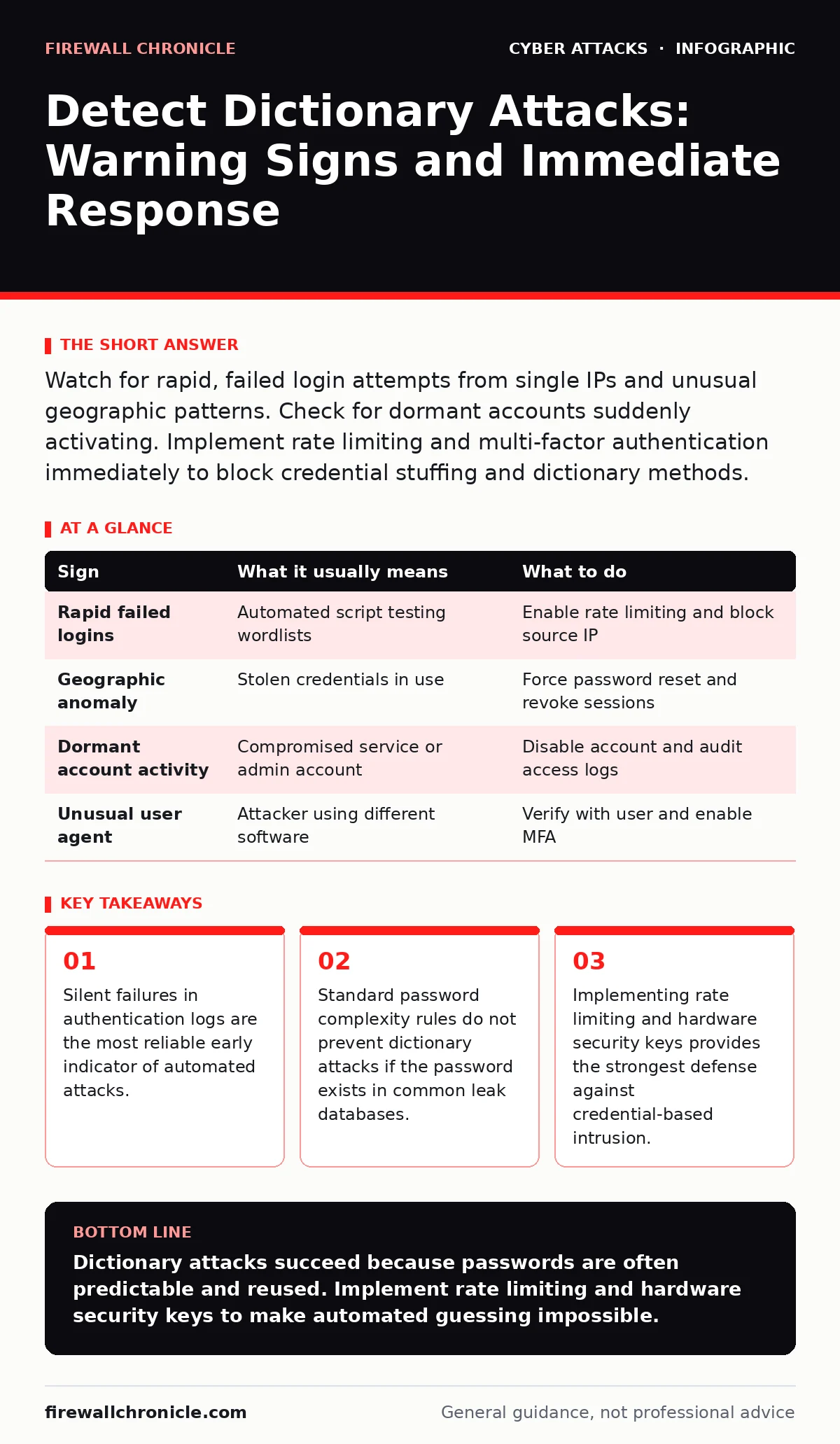
Watch for rapid, failed login attempts from single IPs and unusual geographic patterns. Check for dormant accounts suddenly activating. Implement rate limiting and multi-factor authentication immediately to block credential stuffing and dictionary methods.
The Mechanics of Automated Credential Testing
A dictionary attack is an automated process where an adversary submits a list of common passwords, known as a wordlist, against an authentication endpoint. The attacker does not guess randomly. They use algorithms to cycle through variations of common words, previous breaches, and predictable patterns. You are not fighting a person typing slowly. You are competing against software that can test thousands of combinations per second.
This method exploits the human tendency to reuse passwords and choose memorable phrases. If you use a password that appears in any public data breach, it is already in the attacker's dictionary. The attack succeeds not because your encryption is weak, but because the secret you chose is no longer secret.
Visible Indicators of Active Intrusion
The first signs you notice are often the loud ones. These occur when the attack volume is high enough to trigger basic monitoring or when the attacker accidentally locks an account. You might see a sudden spike in failed login attempts from a single IP address. This pattern is distinct from normal user error. Users mistype occasionally. Attackers fail consistently and rapidly.
Another visible sign is geographic anomaly. If a user account logs in from a location thousands of miles away within minutes of a previous session, the system has likely been compromised. This is not always a dictionary attack, but it indicates credential theft. The attacker may have used a dictionary method to find the password, or they may have stolen it via a phishing simulation.
Silent Signals You Overlook
The dangerous signs are the ones that do not trigger alarms. Many systems log successful logins but discard failed attempts to save storage. If your logging configuration drops failure records, you are blind to the attack until it succeeds. You will only see the final success, which looks like a normal user logging in.
Look for changes in user behavior that seem minor. A user who usually logs in from a specific device suddenly uses a different user agent string. Or a service account, which rarely interacts with the login portal, begins to authenticate. These are subtle deviations. They suggest an attacker has found a valid credential and is testing its privileges. This is where man-in-the-middle attacks often intersect, as the attacker may have intercepted the session token rather than the password itself.
Response Protocol for Detected Activity
When you identify these signs, your immediate goal is containment. Do not simply reset the password. The attacker may still have access via an active session. You must revoke all active tokens and force a re-authentication for the affected account. This breaks the attacker's current connection.
Next, analyze the source. If the attack came from a specific IP range, block that range at the firewall. However, attackers often use botnets, meaning the IP addresses change frequently. Blocking IPs is a temporary fix. You need to strengthen the authentication mechanism itself. This is where rate limiting becomes critical. By limiting the number of attempts per account or per IP, you slow the attacker down enough to make the attack economically unviable.
| Sign | What it usually means | What to do |
|---|---|---|
| Rapid failed logins | Automated script testing wordlists | Enable rate limiting and block source IP |
| Geographic anomaly | Stolen credentials in use | Force password reset and revoke sessions |
| Dormant account activity | Compromised service or admin account | Disable account and audit access logs |
| Unusual user agent | Attacker using different software | Verify with user and enable MFA |
Strengthening Authentication Defenses
Password complexity requirements are insufficient against dictionary attacks. If a user chooses "Summer2024!", and that phrase is in a common wordlist, the attack succeeds. You must require multi-factor authentication. Even if the attacker has the password, they cannot bypass the second factor without physical access to the user's device.
Hardware security keys provide the strongest protection. These devices use public-key cryptography to prove identity. They are immune to phishing and dictionary attacks because the key never transmits a secret that can be guessed. Unlike SMS-based verification, which is vulnerable to SIM swapping, hardware keys remain secure even if the user's phone number is compromised.
Monitoring and Log Retention
You cannot detect what you do not record. Ensure your authentication system logs both success and failure events. Retain these logs for a period that allows for retrospective analysis. Many attackers wait days or weeks before exploiting a stolen credential. If you delete logs after a few hours, you lose the trail.
Set up alerts for specific patterns. An alert for five failed logins in one minute is useful. An alert for a successful login from a new device is also valuable. Combine these signals. A failed login followed by a success from the same IP is a high-confidence indicator of a successful dictionary attack. This requires careful tuning to avoid false positives, but it is far more effective than generic monitoring.
The Role of Network Architecture
Isolating critical systems reduces the impact of a successful attack. If an attacker compromises a user account, they should not have immediate access to the entire network. Network segmentation ensures that lateral movement is difficult. The attacker may have the password, but they cannot reach the database server if the network design prevents it.
This does not stop the initial breach. It limits the damage. You should still prioritize strong authentication. But if the attacker does succeed, segmentation ensures they cannot easily expand their foothold. This layered approach is necessary because no single control is perfect.
Key takeaways
- Silent failures in authentication logs are the most reliable early indicator of automated attacks.
- Standard password complexity rules do not prevent dictionary attacks if the password exists in common leak databases.
- Implementing rate limiting and hardware security keys provides the strongest defense against credential-based intrusion.
Dictionary attacks succeed because passwords are often predictable and reused. Implement rate limiting and hardware security keys to make automated guessing impossible.
Frequently asked questions
Can a strong password prevent a dictionary attack?
A strong password reduces the chance of success if it is unique and not in any public breach database. However, if the password is guessed, the attack succeeds. Multi-factor authentication provides the necessary backup.
How do I distinguish a dictionary attack from a brute force attack?
A dictionary attack uses a list of common words and phrases. A brute force attack tries every possible combination of characters. Dictionary attacks are faster and more common. Both appear as rapid failed logins.
Is rate limiting enough to stop these attacks?
Rate limiting slows the attack, making it difficult for the attacker to try many passwords quickly. It is not a complete solution. You must also use multi-factor authentication and monitor for successful logins after failures.
Should I block IP addresses that show attack signs?
Blocking IPs is a temporary measure. Attackers use distributed networks, so they will simply switch to a new IP. Focus on strengthening the authentication process rather than blocking sources.
How this guide was produced: written by the Firewall Chronicle editorial team with AI assistance, checked against the public references listed below, and reviewed when the facts change. See our editorial policy or report an error.