
Exposed Storage Buckets: Why Your Cloud Data Is Open to the World
Default cloud configurations often leave storage containers publicly accessible, allowing anyone on the internet to read or overwrite your data without authentication.
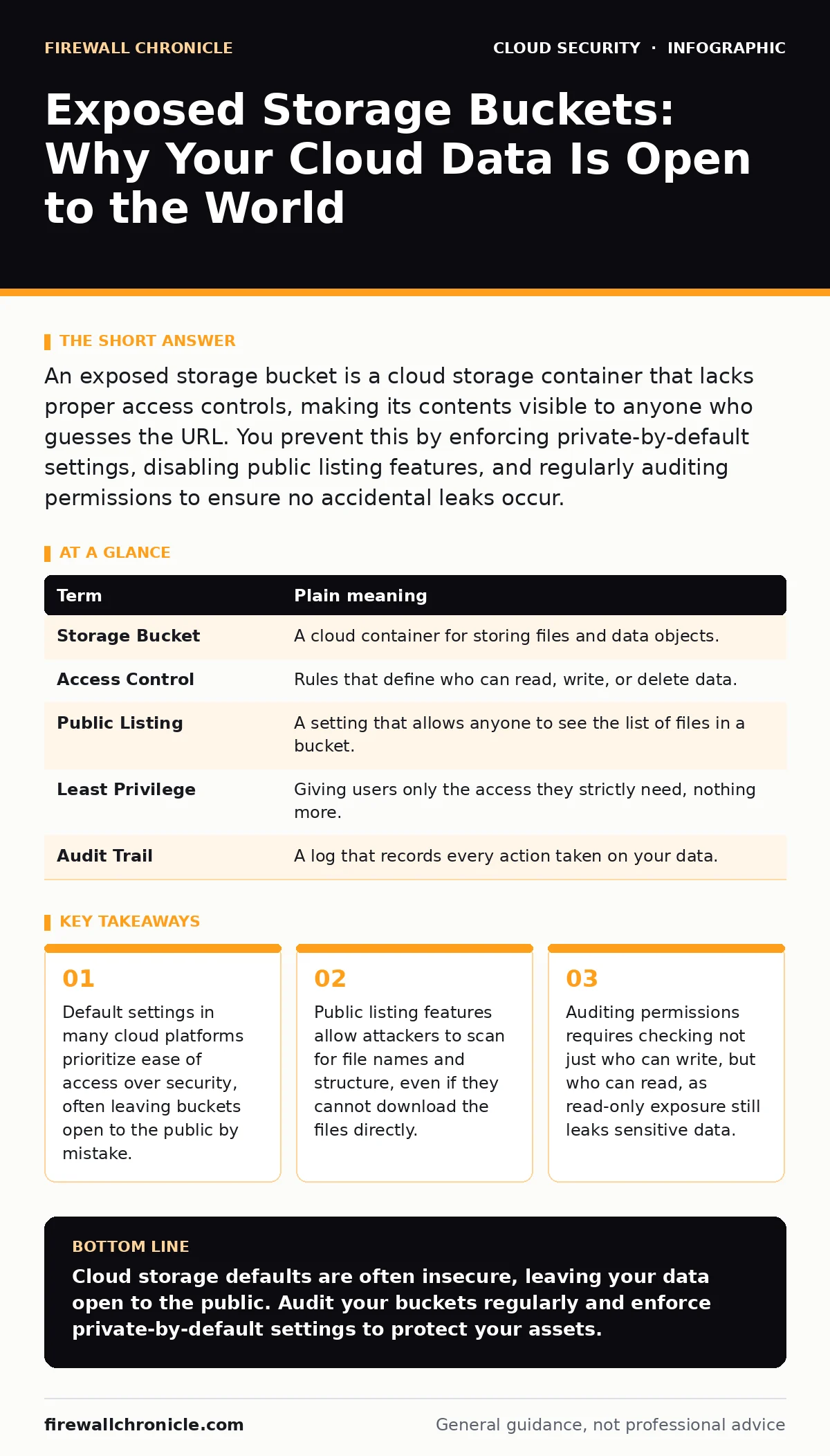
An exposed storage bucket is a cloud storage container that lacks proper access controls, making its contents visible to anyone who guesses the URL. You prevent this by enforcing private-by-default settings, disabling public listing features, and regularly auditing permissions to ensure no accidental leaks occur.
The Unlocked Warehouse Analogy
Imagine you rent a self-storage unit for your business records. The facility has thousands of units, each with a unique code. In a secure setup, only you hold the key. In a poorly configured setup, the facility manager forgets to lock the doors or posts a list of all unit codes on the front counter. Anyone walking by can open the door and see your boxes. If they are lucky, they can also take items out or replace them with fake documents. This is exactly what happens when you create an exposed storage bucket in the cloud.
What Is a Storage Bucket?
A storage bucket is a logical container in cloud infrastructure used to hold objects, such as files, images, or logs. Think of it as a folder on a server, but with global reach and unique addressing. When you upload a file to the cloud, it goes into a bucket. The bucket has a name and a set of rules that define who can access the data inside. These rules are called access controls. If these controls are misconfigured, the bucket becomes exposed.
| Term | Plain meaning |
|---|---|
| Storage Bucket | A cloud container for storing files and data objects. |
| Access Control | Rules that define who can read, write, or delete data. |
| Public Listing | A setting that allows anyone to see the list of files in a bucket. |
| Least Privilege | Giving users only the access they strictly need, nothing more. |
| Audit Trail | A log that records every action taken on your data. |
The Cost of Default Settings
When you provision a new bucket, the cloud provider often applies default settings. These defaults are designed for convenience, not security. The system assumes you might want to host a static website or share media, so it may enable public read access by default. This is a hidden cost of speed. If you do not explicitly change these settings, your data remains open. You might assume the data is private because you did not share it, but the cloud does not assume privacy. It assumes accessibility until you tell it otherwise.
Beyond Simple Downloading
An exposed bucket does not always mean your files are instantly stolen. Sometimes, the exposure is more subtle. If public listing is enabled, an attacker can see the names of your files. File names often reveal secrets, such as database schemas, employee names, or internal project codes. This metadata is valuable. Attackers use this information to craft targeted attacks or to understand your infrastructure. Even if they cannot download the actual files, knowing what you store helps them find other weaknesses. This relates to cloud network segmentation, which aims to limit visibility between different parts of your system.
The Danger of Write Access
Read access is bad, but write access is catastrophic. If a bucket allows public writes, anyone can upload files to it. An attacker can upload malicious scripts or fake documents. If your application serves files from this bucket, users might download malware instead of legitimate software. This technique is often used in cloud cryptojacking, where attackers inject code that uses your resources to mine cryptocurrency. You might not notice the intrusion immediately, but your servers will slow down, and your reputation will suffer. The damage is not just data loss; it is trust erosion.
See also: Kubernetes RBAC Explained: Control Access Without Breaking Deployments · Employee Data Breach Myths: Why Insider Threat Models Fail
Simple Safety Habits
You can prevent exposure with a few disciplined habits. First, never rely on default settings. Always configure buckets to be private by default. Second, disable public listing. This prevents attackers from scanning your bucket structure. Third, use least privilege. Only grant access to specific users or services that need it. Do not use broad permissions like "allow all" unless you have a specific, documented reason. These habits seem small, but they stop the most common mistakes.
Try This Now
- Check your cloud console for any buckets marked as "public" or "website hosting." Change these to private immediately.
- Review the access policy for each bucket. Ensure that "public read" is disabled for any bucket containing sensitive data.
- Enable logging for your buckets. This creates an audit trail that helps you detect unauthorized access attempts in the future.
Integrating with Broader Security
Protecting storage is part of a larger strategy. You should combine bucket security with cloud backup practices to ensure you can restore data if it is corrupted. Additionally, consider Kubernetes RBAC if you run containerized applications that access these buckets. These systems define who can talk to what, adding another layer of control. Without these layers, a single misconfigured bucket can compromise your entire environment.
Key takeaways
- Default settings in many cloud platforms prioritize ease of access over security, often leaving buckets open to the public by mistake.
- Public listing features allow attackers to scan for file names and structure, even if they cannot download the files directly.
- Auditing permissions requires checking not just who can write, but who can read, as read-only exposure still leaks sensitive data.
Cloud storage defaults are often insecure, leaving your data open to the public. Audit your buckets regularly and enforce private-by-default settings to protect your assets.
Frequently asked questions
Can an exposed bucket leak passwords?
Yes, if you store configuration files or environment variables containing credentials in the bucket, anyone with read access can view them.
Is encryption enough to protect an exposed bucket?
Encryption protects data at rest, but if the bucket is publicly readable, attackers can still download the encrypted files and attempt to crack them or use the metadata.
How do I know if my bucket is exposed?
Try to access the bucket URL in a private browser window. If you can see a list of files or download content without logging in, it is exposed.
Does cloud migration security cover this?
Yes, **cloud migration security** should include a step to review and harden storage permissions during the transition to prevent inherited misconfigurations.
How this guide was produced: written by the Firewall Chronicle editorial team with AI assistance, checked against the public references listed below, and reviewed when the facts change. See our editorial policy or report an error.